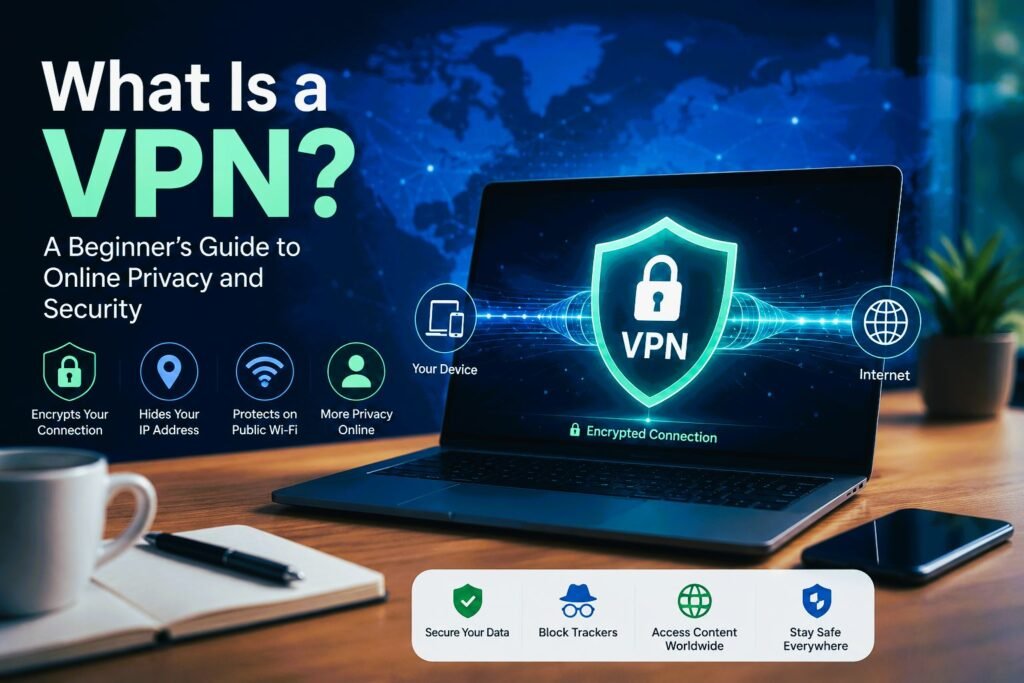
Introduction: Why Online Privacy Matters Today
The internet today is very different from what it was a few years ago. Instead of simply choosing what to share online, much of our digital activity is constantly collected and analyzed. Every time you browse the web, use a smartphone, or access an online account, you leave behind a digital footprint.
Online privacy is no longer just about protecting passwords. It is about controlling who can collect and use your personal information.
Without proper protection, your data may be exposed to ISPs, advertisers, and attackers on unsecured public Wi-Fi networks. While complete digital anonymity is nearly impossible, smart privacy practices and layered security measures can reduce unnecessary tracking, protect sensitive information, and help you regain control of your digital life.
This beginner’s guide explains what a VPN is, how a VPN works, why VPNs are useful for protecting your online privacy, and how to choose the right VPN service for your needs.
VPN One-Minute Summary
At a Glance
- Introduction: Why Online Privacy Matters Today
- VPN One-Minute Summary
- At a Glance
- What Is a VPN and How Does It Work?
- Key VPN Benefits (Why You Need One)
- Do I Need a VPN?
- VPN Drawbacks, Speed Impact & Limitations
- Types of VPNs
- Pros & Cons of Using a VPN
- How to Choose the Best VPN for Your Needs
- Popular VPN Providers Compared
- How to Set Up and Use a VPN (Step-by-Step)
- Best Practices & Safety Tips for Everyday Users
- Frequently Asked Questions (FAQs)
- Conclusion: Taking Control of Your Digital Footprint
What Is a VPN and How Does It Work?
If you feel that your online activity is not as private as it should be, you are not alone. Every time you connect to the internet, your online activity may be visible to your ISP, network operators, and advertisers.
Simple VPN Definition for Non-Techies
VPN stands for Virtual Private Network.
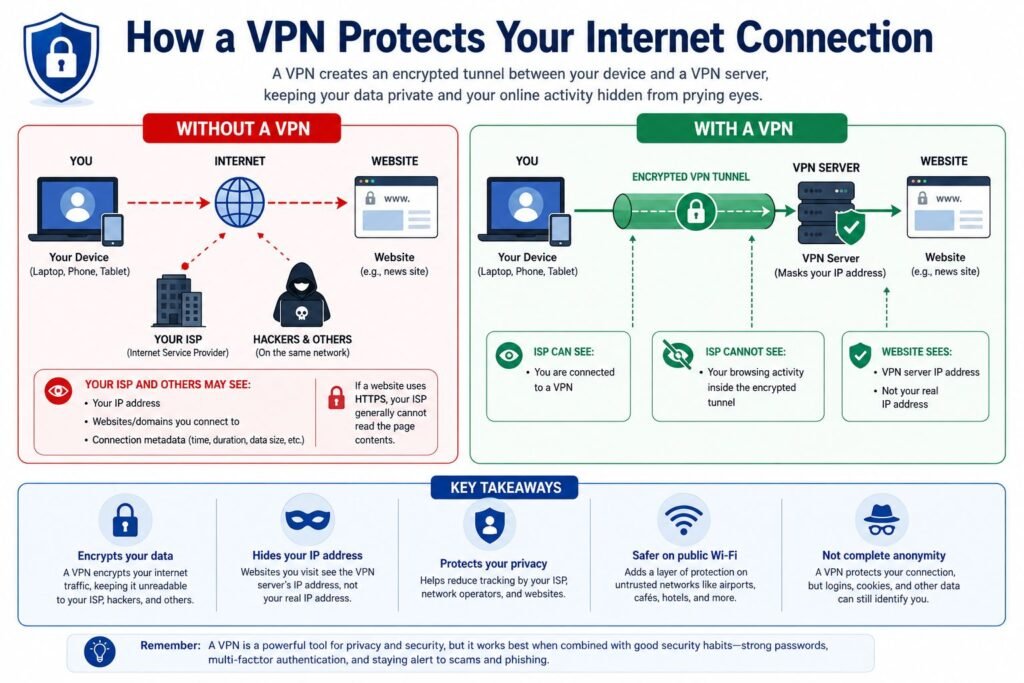
A VPN creates a secure connection between your device (phone, laptop, or tablet) and the internet. Think of it as a protected digital tunnel that shields your internet traffic from outside observers.
Without a VPN, your internet activity travels directly through the network, similar to sending a postcard that others may be able to view. A VPN encrypts your data and places it inside a secure tunnel before it leaves your device.
How a VPN Secures Your Connection: The Tunnel & Encryption
A VPN protects your connection by encrypting your internet traffic. This prevents hackers on public Wi-Fi, network snoopers, and other third parties from viewing the contents of your online activity.
However, a VPN does not make you completely anonymous—it mainly protects your connection and hides your browsing activity from others on the network.
IP Address Masking Explained
Every device connected to the internet has an IP address, which can reveal your approximate location and identify your network connection.
Without a VPN, websites can see your real IP address. When you use a VPN, your IP address is replaced with the address of the VPN server, making it appear as though you are browsing from the server’s location.
Real-World Example:
If you are in New York but connect to a VPN server in Los Angeles, websites will see the Los Angeles VPN server’s IP address instead of your actual one.
Common VPN Misconceptions Debunked
Because VPNs are often surrounded by technical jargon and marketing hype, several common myths persist:
- Myth 1: “A VPN makes me 100% anonymous online.”
- Fact: A VPN provides privacy, not total anonymity. Websites can still identify you if you log into your personal accounts or accept browser tracking cookies.
- Myth 2: “A VPN protects me from downloading viruses.”
- Fact: A VPN secures your connection path, but it does not scan files for viruses or block phishing links. You still need an active antivirus program and healthy online habits.
- Myth 3: “Only people doing illegal things need a VPN.”
- Fact: Millions of everyday internet users rely on VPNs daily for routine privacy—protecting passwords on public Wi-Fi, preventing ISPs from selling browsing habits to advertisers, and securing sensitive work data.
Key VPN Benefits (Why You Need One)
While tech experts originally built VPNs for corporate network security, everyday internet users rely on them today for practical, real-world reasons. From keeping your personal details out of the wrong hands to unlocking a freer internet experience, here are the key VPN benefits of keeping an active VPN on your devices.
Protecting Your Privacy from ISPs
In many parts of the world, your ISP has a front-row seat to everything you do online. Unless you hide your connection, your ISP can track:
- Every website domain you visit
- How long you spend on specific sites
- The time of day you are most active online
In several countries, ISPs are legally allowed to collect this browsing history and aggregate it into targeted profiles to sell to advertising networks.
How a VPN helps: Because a VPN scrambles your traffic before it leaves your device, your ISP only sees that you are connected to a VPN server. The actual websites you visit, searches you perform, and pages you read become completely invisible to them.
Staying Safe with VPN on Public Wi-Fi Networks
Public Wi-Fi networks are often unencrypted and unmonitored. This makes it easier for cybercriminals on the same network to perform “Man-in-the-Middle” attacks by intercepting data, stealing login credentials, session cookies, or personal messages.
Worse yet, hackers sometimes set up fake public networks (like “Free_Airport_WiFi”) to lure unsuspecting users into connecting directly to their hardware.
The Cybersecurity and Infrastructure Security Agency (CISA) also recommends taking extra precautions when using public Wi-Fi, especially when accessing sensitive accounts or financial information.
Although HTTPS already encrypts most modern websites, a VPN still provides an additional layer of protection by encrypting all internet traffic leaving your device, including apps and services that may not use HTTPS properly.
How a VPN helps: A VPN acts as a protective shield over untrusted networks. Even if a bad actor manages to intercept the signal between your laptop and the coffee shop router, the data they grab is completely unreadable.
Accessing Region-Restricted Streaming & Content
Have you ever tried watching a show on a streaming platform, only to see a message saying, “This content is not available in your region”? Or perhaps you have traveled abroad and found yourself locked out of your favorite local streaming catalogs or local news sites back home.
Streaming services, news outlets, and sports networks frequently use geoblocking—restricting access to content based on the geographic location associated with your IP address.
How a VPN helps: Many people use VPNs while travelling to access services from home, although some streaming platforms actively block VPN connections.
Preventing Price Discrimination & Online Tracking
Some retailers and travel websites may display different prices based on your location (IP address), browsing history or other factors to dynamically adjust pricing.
This practice, known as price discrimination, means two users searching for the exact same flight ticket or hotel room from different cities—or with different browsing histories—might see vastly different prices.
Pro Tip for Travelers:
Before booking flights or hotels, try clearing your browser cookies and switching your VPN server to a different region or country. Sometimes changing your location or clearing cookies may result in different prices, although this is not guaranteed.
How a VPN helps: By masking your IP address and breaking the link to your physical location, a VPN makes it significantly harder for e-commerce platforms to profile your shopping habits or dynamically inflate prices based on where you live.
Do I Need a VPN?
Yes if you
- Travel frequently
- Use hotel Wi-Fi
- Use airport Wi-Fi
- Work remotely
- Care about privacy
Probably not if
- You only browse at home
- You expect antivirus protection
VPN Drawbacks, Speed Impact & Limitations
While VPNs are powerful tools for digital privacy, they are not a silver bullet. Understanding their trade-offs and technical limitations helps you avoid a false sense of security and ensures you pick a service that won’t ruin your browsing experience.
Will a VPN Slow Down Your Internet?
Using a VPN will almost always reduce your internet speed slightly.
This happens for two main reasons:
- Encryption Processing: Scrambling and unscrambling your data requires extra compute time from your device and the VPN server.
- Physical Distance: Your traffic has to travel to the VPN server before heading to its final destination, adding physical distance and latency (ping).
VPN Logging Policies & Privacy Risks
When you switch on a VPN, you are essentially shifting trust away from your ISP and placing it into the hands of your VPN provider. Instead of your ISP seeing your browsing activity, your VPN provider now has technical visibility over your connection.
This makes a provider’s Logging Policy critical: Look for providers whose no-logs claims have been independently audited by reputable third-party security firms.
VPN does not hide activity from websites you log into
If you sign into Google, Facebook, Amazon, Microsoft, or your bank, those services still know who you are because you authenticated with your account.
Why Free VPNs Can Be Dangerous
Running a network of fast and secure servers costs millions of dollars per year. If a VPN service isn’t charging you a subscription fee, you are the product. Using a free VPN often poses severe risks to your personal data.
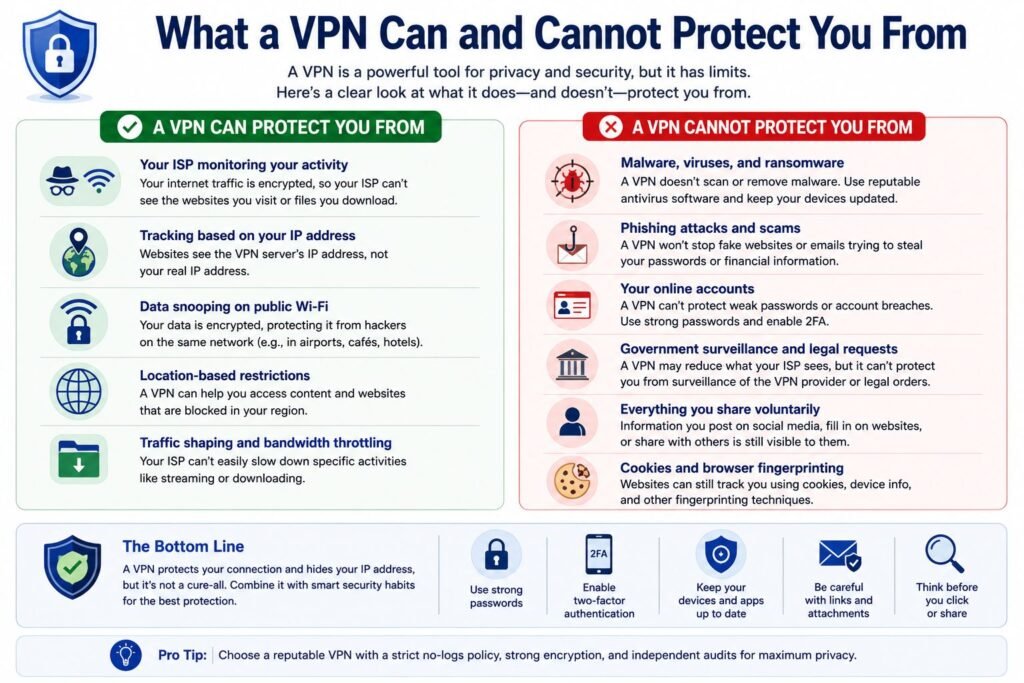
What a VPN Cannot Protect You From
A VPN only secures your connection in transit—it does not monitor or alter what you intentionally interact with online.
The National Institute of Standards and Technology (NIST) recommends using layered security practices, including strong passwords, multi-factor authentication, and software updates, because no single tool—including a VPN—can protect against every cyber threat.
A VPN cannot protect you from:
- Phishing Scams: If you click a malicious link in an email and enter your password on a fake website, a VPN will not stop the credentials from being stolen.
- Malware & Virus Downloads: A VPN encrypts the download stream, but it will not scan or neutralize a dangerous file before it reaches your hard drive.
- Account-Level Tracking: If you are logged into your personal Google, Amazon, or social media accounts, those platforms still track your searches and activity inside your profile regardless of your IP address.
- Cookies & Device Fingerprinting: Websites can still identify your device using local browser cookies, device screen dimensions, and installed fonts unless you clear your browsing data regularly. If you’d like to understand how websites identify your browser even without your IP address, the Electronic Frontier Foundation (EFF) provides an excellent explanation of browser fingerprinting and online tracking.
Types of VPNs
Depending on whether you are trying to watch foreign streaming content, connect securely to your employer’s internal network, or simply secure your web browser, the underlying technology varies significantly.
Personal / Consumer VPNs
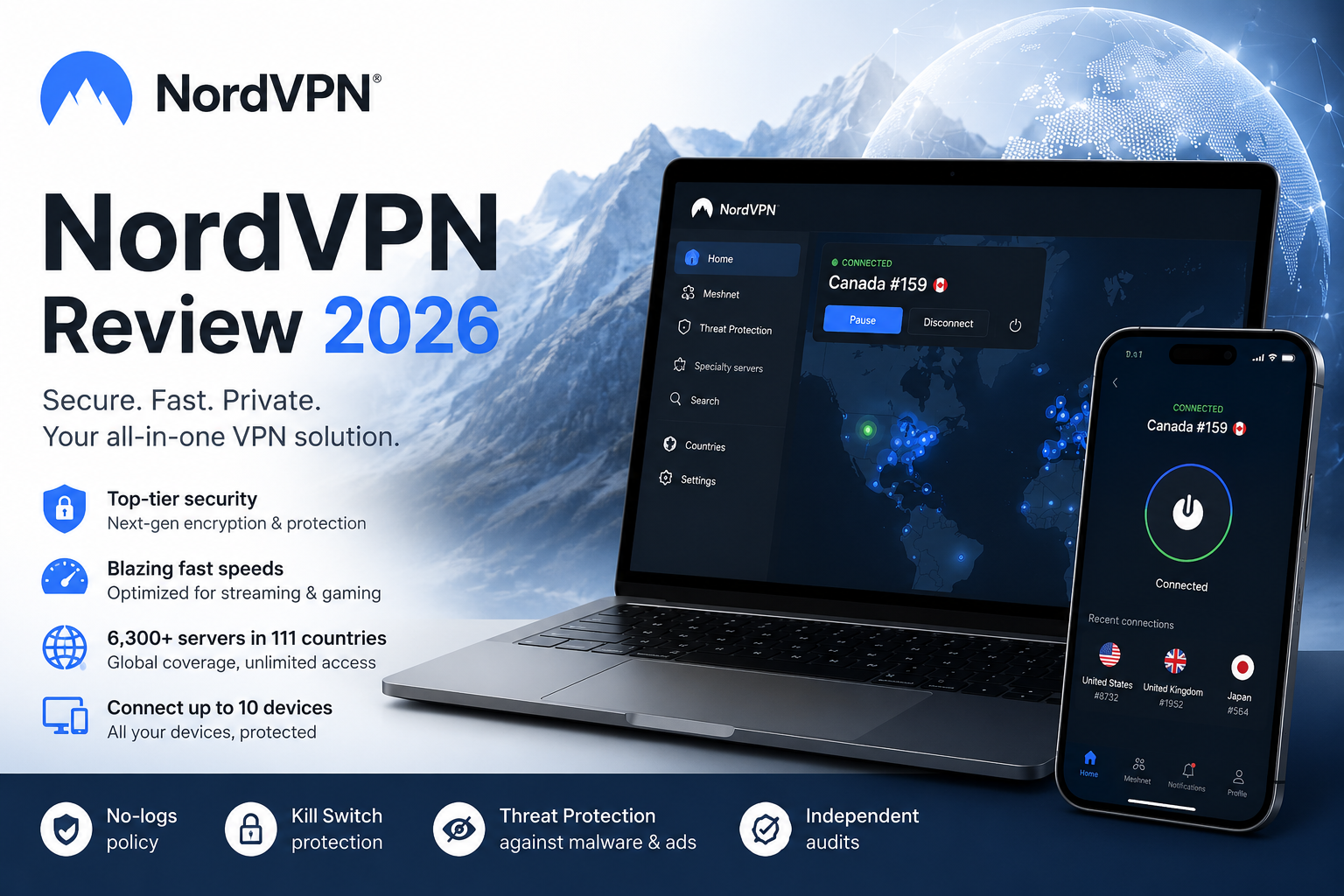
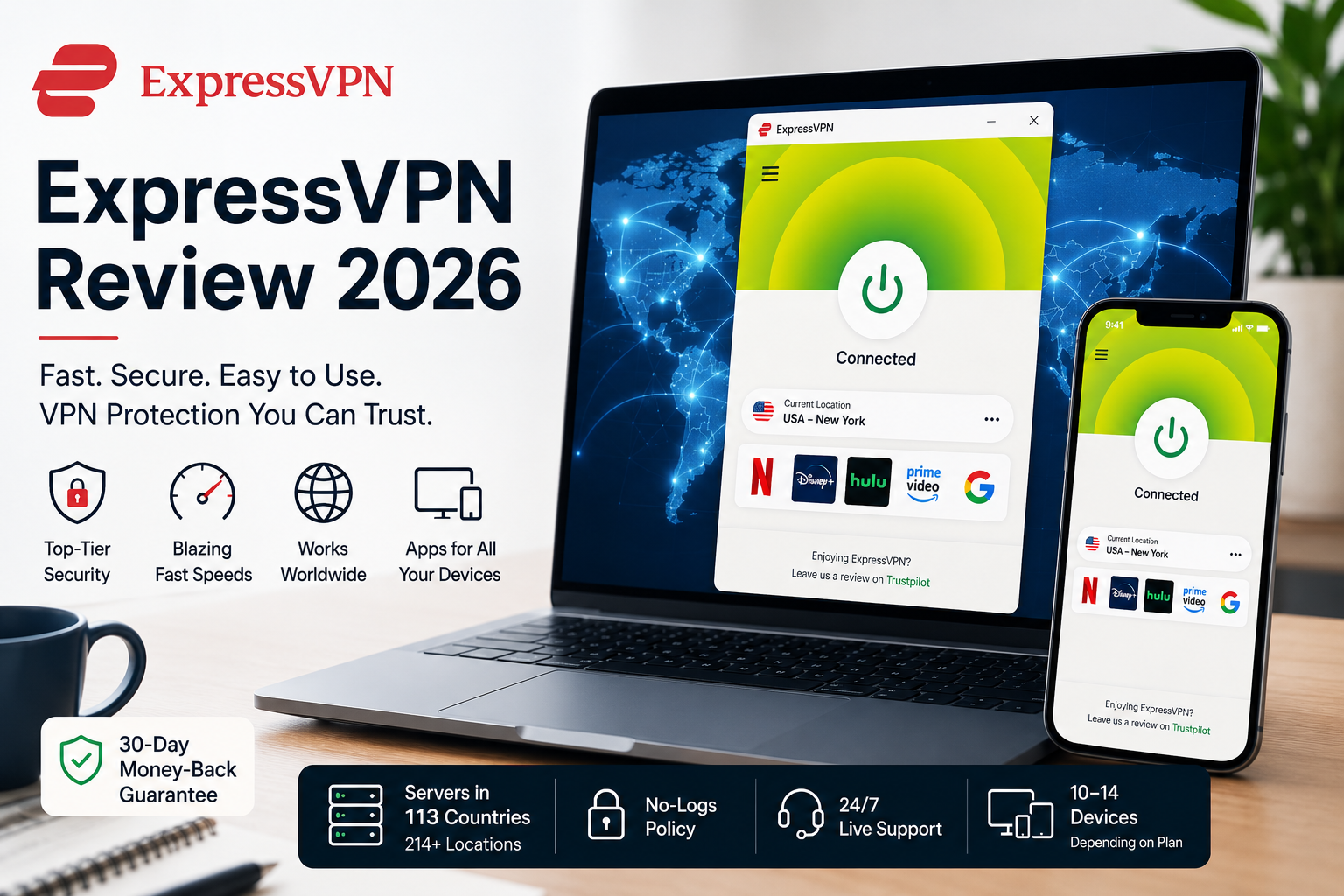
These are subscription services designed for everyday individuals. When you use a VPN app like NordVPN, ExpressVPN, or Surfshark, your device connects to a remote server, which interacts with the public internet on your behalf. The goals are to hide your IP address, encrypt internet traffic on public Wi-Fi, bypass geographic blocks on streaming platforms, and prevent your ISP from logging your browsing habits.
Business & Corporate VPNs
Business VPNs are designed to grant remote employees secure access into a company’s private network. This allows remote or hybrid employees to securely access corporate intranets, internal databases, local file servers, and proprietary work tools from home or while traveling.
Pros & Cons of Using a VPN
| Pros | Cons |
|---|---|
| Encrypts traffic | Slightly slower |
| Hides IP | Subscription cost |
| Protects public Wi-Fi | Doesn’t stop malware |
How to Choose the Best VPN for Your Needs
With dozens of VPN providers competing, separating marketing promises from true digital privacy can feel overwhelming. By focusing on a few critical baseline factors and knowing which warning signs to avoid, you can easily evaluate any provider before committing to a subscription.
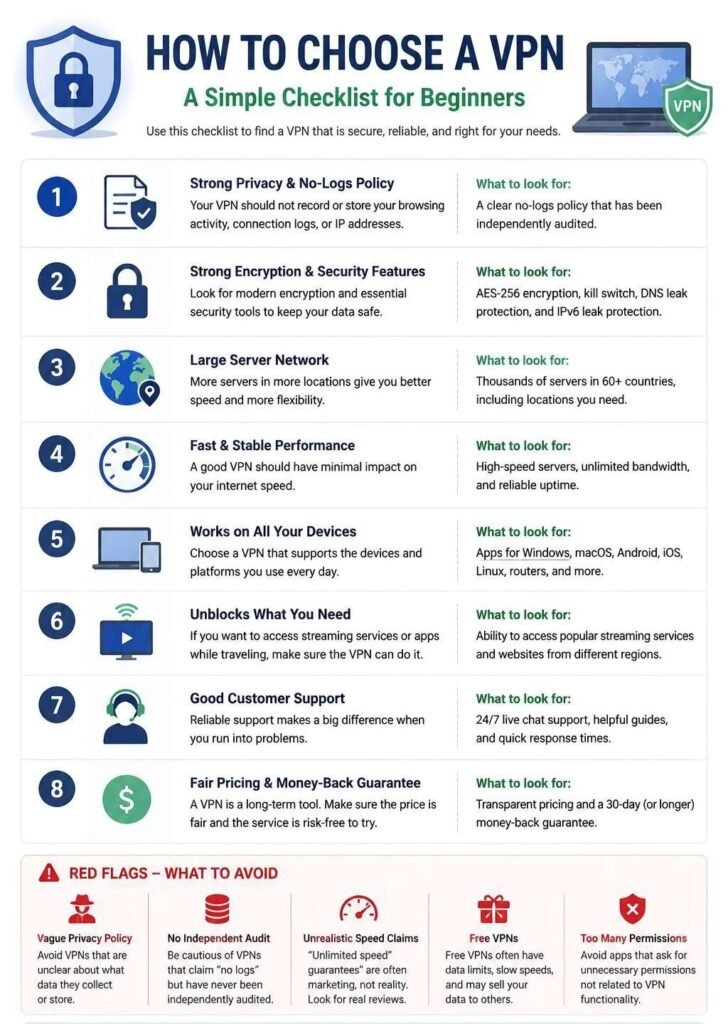
Strict No-Logs Policy (Verified by Independent Audits)
A “no-logs” policy means the provider does not record or store your browsing activity, IP addresses, bandwidth usage, or connection timestamps. Because any company can claim to keep no logs, look for providers that back this up with third-party security audits conducted by independent auditing firms (such as Deloitte or PwC).
Fast Speeds & Diverse Server Networks
A robust server network prevents network congestion and maintains fast download speeds. Look for providers offering thousands of servers spread across dozens of countries. Check that the provider supports modern, lightweight protocols which deliver low-latency performance for streaming and everyday browsing.
Crucial Security Features
At a minimum, your VPN should include:
- Automatic Kill Switch: Immediately cuts off all internet traffic if your VPN connection accidentally drops, preventing raw, unencrypted data from leaking onto your local network.
- Split Tunneling: Allows you to choose specific apps (like your banking client) to bypass the VPN while keeping all other web traffic encrypted.
Device Compatibility & Multi-Device Support
Ensure the provider offers easy-to-use apps for all your daily devices—including Windows, macOS, iOS, Android, and web browser extensions. Pay attention to simultaneous connection limits; while some standard plans support 8–10 simultaneous devices, several popular consumer VPNs allow unlimited device connections under a single account.
Red Flags to Avoid
When shopping for a VPN, treat any of the following as immediate warning signs to walk away:
- Unclear Privacy Policies & “Free” Claims: Free VPN services often generate revenue by logging user activity, injecting ads, or selling browsing data to third-party ad brokers. If a policy is vague about how user data is handled, assume your privacy is compromised.
- Excessive App Permissions: Mobile VPN apps should only request basic network permissions. If an app requests access to your contacts, SMS messages, camera, or local storage, it is likely collecting personal data for profiling.
- Unclear Corporate Jurisdiction: If a provider operates out of a jurisdiction known for mandatory data-retention laws without clear user protections, your connection logs could be subject to government subpoenas.
Popular VPN Providers Compared
Choosing the right VPN comes down to balancing speed, key features, device support, and budget. Here is how four of the most widely used VPN providers compare:
| Provider | Best for | No-logs Audit | Simultaneous Device | Free Plan |
|---|---|---|---|---|
| NordVPN | Overall performance | ✓ | 10 | No |
| ExpressVPN | Ease of Use | ✓ | 8 | No |
| Surfshark | Families & value | ✓ | Unlimited | No |
| Proton VPN | Privacy | ✓ | 10 | Yes |
Key Takeaways for Each Service
- NordVPN is the top all-around pick for most everyday users, offering fast server speeds via its proprietary NordLynx protocol alongside threat protection against dangerous downloads and intrusive web ads.
- ExpressVPN excels in simplicity and seamless streaming access, making it a great choice if you want an app that requires zero technical configuration.
- Surfshark stands out for value by offering unlimited simultaneous connections under a single account, perfect for protecting every device in a household.
- Proton VPN is built for privacy purists, featuring open-source applications, strict Swiss privacy protection laws, and a dedicated free tier with unlimited data bandwidth.
How to Set Up and Use a VPN (Step-by-Step)
Choose and Subscribe to a Trusted VPN Service:
Head over to the official website of your chosen VPN provider. Select a subscription plan that fits your budget and create an account using your email address.
- Tip: Download the app directly from the official provider website or official device app store (Apple App Store / Google Play Store). Never download VPN software from third-party software hubs.
Download and Install the App:
Once registered, log into your account on the provider’s website or app store and download the application designed for your operating system. Follow the standard installation prompts on your screen.
Sign In and Enable Essential Security Settings:
Open the newly installed app and sign in using your account credentials. Before tapping “Connect”, open the app’s Settings or Preferences menu and ensure the following two settings are turned on:
- Kill Switch: Automatically cuts off internet access if the VPN connection drops unexpectedly, keeping your IP address safe.
- Auto-Connect on Public Wi-Fi: Automatically turns on protection whenever your phone or laptop joins an unfamiliar Wi-Fi network.
Connect to a Server:
Return to the main screen of the app. For everyday browsing, click the primary “Quick Connect” or “Auto” button. The app will automatically connect you to the fastest and closest server near your physical location. If you want an IP address from a specific country, scroll through the server list and select your target nation.
Verify Your Connection is Active:
To double-check that your VPN is working properly, open your web browser and search “What is my IP address”. If the location shown matches your VPN server location rather than your real city, your VPN is active and fully protecting your connection.
Best Practices & Safety Tips for Everyday Users
To get the most security out of your VPN while avoiding common online pitfalls, keep these essential safety habits in mind:
1. Enable the Kill Switch Immediately
The Kill Switch is your VPN’s most important failsafe. Enabling the kill switch in your app settings ensures all web traffic stops instantly the moment the VPN connection drops.
2. Turn On Multi-Factor Authentication (MFA)
Protect your VPN account by enabling Multi-Factor Authentication (MFA) or Two-Factor Authentication (2FA). Requiring a verification code from an authenticator app ensures that even if someone steals your password, they cannot hijack your VPN account.
If you’re new to MFA, read our Beginner’s Guide to Authenticator Apps to learn how authentication apps like Google Authenticator, Microsoft Authenticator, and Authy help protect your online accounts.
Whenever possible, use an authenticator app instead of SMS verification. SMS codes can be vulnerable to SIM swap attacks, while authenticator apps provide stronger protection.
3. Keep the VPN App Updated
Set your VPN app to update automatically on desktop and mobile devices so you are always protected by the latest encryption standards and bug fixes.
4. Choose the Nearest Server Whenever Possible
For everyday browsing, connect to a nearby VPN server. Shorter distances usually provide faster speeds and lower latency.
5. Pair Your VPN with a Privacy-Focused Browser
For comprehensive digital privacy, pair your VPN with a privacy-centric browser (such as Brave, Firefox, or DuckDuckGo) equipped with built-in tracker and ad-blocking features.
6. Practice Healthy Browsing Habits
Remember that a VPN cannot stop you from voluntarily handing over information on malicious websites.
Always practice foundational cybersecurity hygiene:
- Beware of Phishing: Never click on suspicious links in unsolicited emails or text messages, even if your VPN is active.
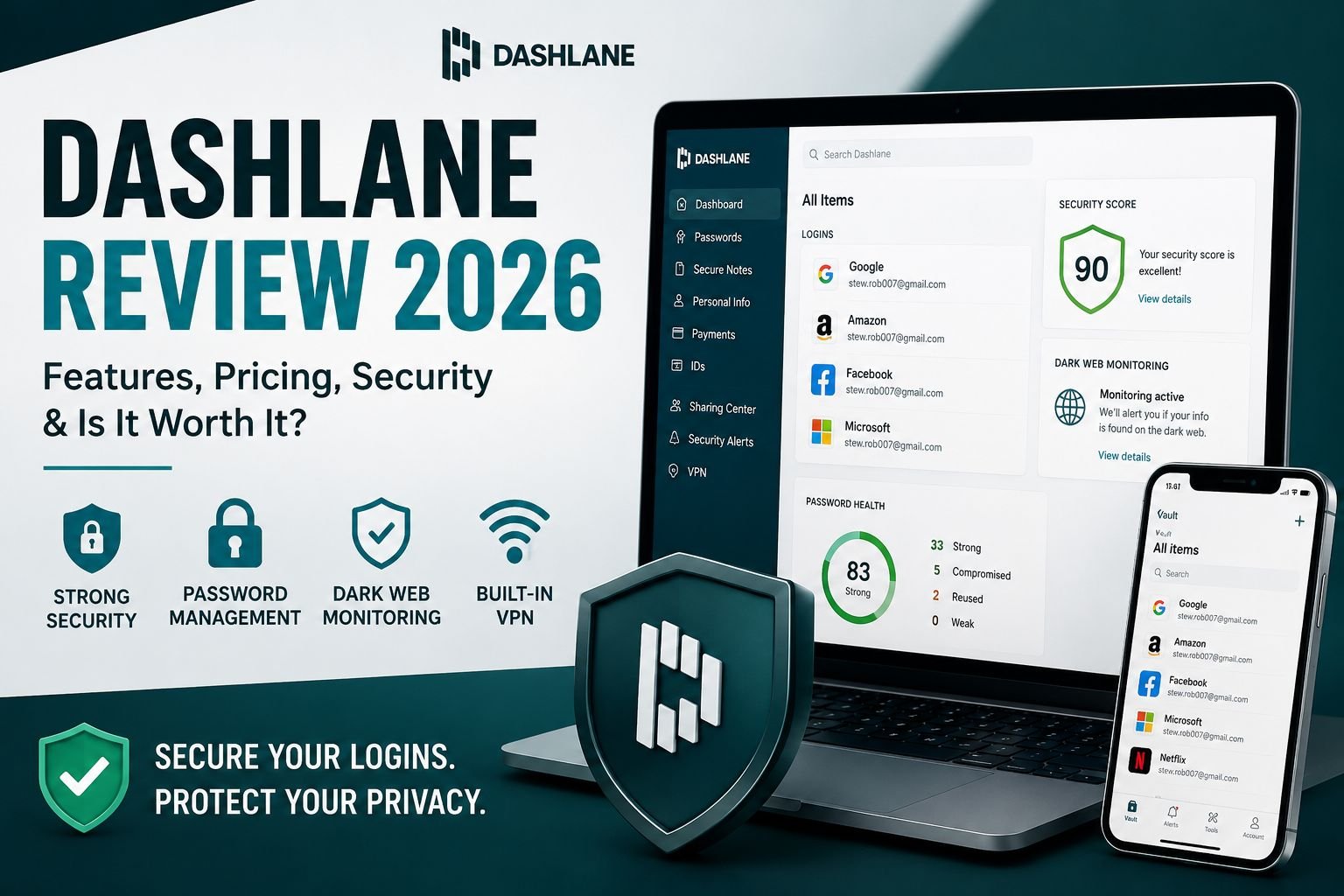
- Use Strong Passwords: Utilize a dedicated password manager to generate and store unique, complex passwords for every online account. If you’re unsure which one to choose, see our review of 1Password, Bitwarden and Dashlane password managers for everyday users.
- Maintain Antivirus Protection: Run active antivirus software to scan file downloads for malware and viruses.
Frequently Asked Questions (FAQs)
1. Are VPNs legal to use?
Yes, VPNs are legal in most countries, including the United States, Canada, the UK, and Europe. They are standard privacy tools used by individuals and businesses. However, using a VPN to conduct illegal online activities remains illegal, and a few countries strictly restrict or ban unauthorized VPN services.
2. Should I keep my VPN on all the time?
Yes, you should keep your VPN on at all times if you prioritize maximum digital privacy and security. Leaving it enabled ensures continuous encryption, masks your IP address across all web traffic, and protects your sensitive data on public Wi-Fi networks without accidental exposure.
3. Does a VPN hide my IP address and browsing history from my Internet Service Provider (ISP)?
Yes, a VPN hides your detailed browsing history from your ISP. Because a VPN encrypts your internet traffic, they usually cannot see the specific websites you visit, pages you view, or data you send while connected to a VPN, but they can see that you’re using a VPN, the VPN server IP, connection times, and data volume.
4. Can a VPN completely protect you from viruses and malware?
No, a VPN does not protect you from malware or viruses. A VPN encrypts your connection and masks your location, but it cannot prevent you from downloading malicious files or entering credentials into phishing websites. You still need dedicated antivirus software and good browsing habits.
5. Why do some websites block VPN connections?
Websites block VPN connections primarily to enforce regional licensing agreements (such as streaming platforms), prevent fraud, stop automated bot attacks, or comply with local regulations. They identify and block shared IP addresses assigned by VPN servers.
Conclusion: Taking Control of Your Digital Footprint
Your digital footprint is created every time you browse, stream, shop, or simply go online. While you can’t eliminate it entirely, you can take meaningful steps to protect it — and using a VPN is one of the simplest, most effective tools available to everyday users. A VPN helps you reduce tracking, secure your data, and regain a sense of privacy in a world where information flows faster than ever.
Taking control of your digital footprint isn’t about hiding — it’s about being intentional. When you choose a trustworthy VPN, understand its benefits and limitations, and follow smart online habits, you put yourself back in charge of how much of your personal information is exposed.
A safer, more private online experience is absolutely within reach. Start with the basics, stay informed, and make privacy a routine part of your digital life. If you’re ready to choose a VPN, our comparison guide reviews the most popular VPN providers to help you find one that fits your budget, devices, and privacy needs.