Introduction
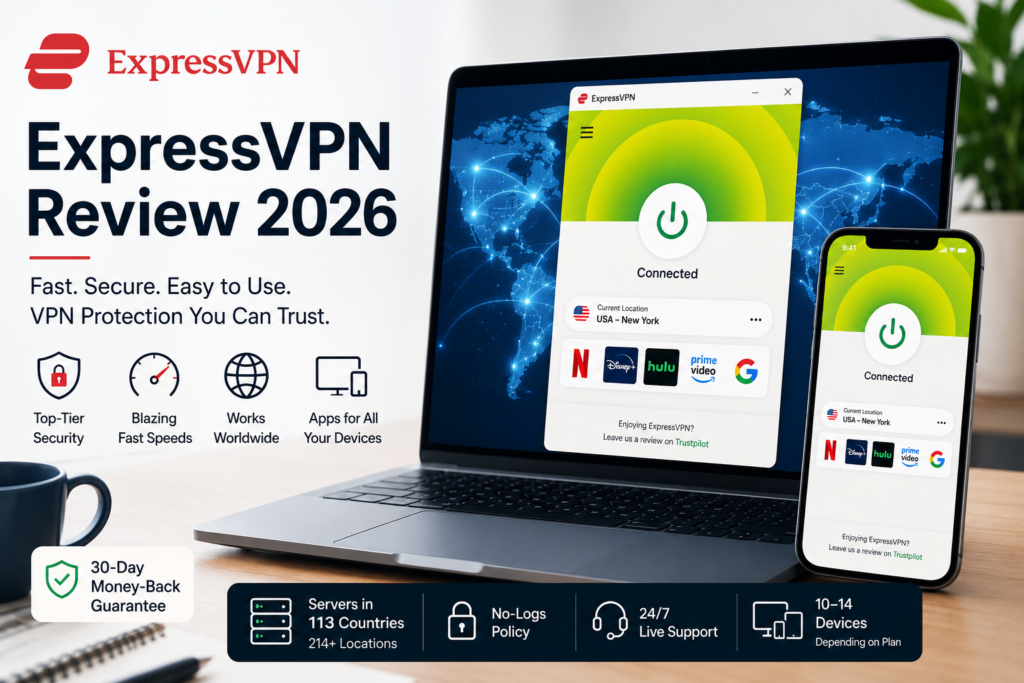
ExpressVPN is one of the most well-known VPN services available today, offering a combination of fast performance, strong privacy protection, and easy-to-use apps. It is designed to make VPN protection simple, even for people who have little or no technical knowledge.
In this ExpressVPN Review for 2026, we look at its security, speed, features, pricing, streaming performance, supported devices, and overall value to help you decide whether ExpressVPN is the right VPN for you.
Quick Answer
Yes. ExpressVPN is one of the better premium VPN services for users who value simplicity, privacy, and reliable performance. It is particularly appealing to beginners, frequent travellers, and users who want a VPN that requires very little technical configuration.
However, ExpressVPN is not necessarily the best choice for everyone. Budget-conscious users may find better value elsewhere, while users who want extensive customization or advanced features may prefer some competitors.
ExpressVPN at a Glance
| Feature | Details |
|---|---|
| Server Network | 113 countries, 214+ locations |
| Protocols | Lightway, OpenVPN, IKEv2 |
| Simultaneous Connections | 10–14 devices, depending on plan |
| Security | AES-256 encryption, RAM-only servers, Kill Switch, no-activity-logs |
| Streaming | Netflix, Disney+, Hulu, Amazon Prime Video, BBC iPlayer, Max |
| Supported Platforms | Windows, macOS, Linux, iOS, Android, TV platforms, routers and browsers |
| Customer Support | 24/7 live chat and email |
| Money-Back Guarantee | 30 days for eligible new customers |
| Independently Audited | Cure53, KPMG, PwC |
ExpressVPN Review 2026: Our Rating
| Category | Rating |
|---|---|
| Security & Privacy | ⭐⭐⭐⭐⭐ |
| Speed & Performance | ⭐⭐⭐⭐⭐ |
| Ease of Use | ⭐⭐⭐⭐⭐ |
| Streaming | ⭐⭐⭐⭐⭐ |
| Streaming | ⭐⭐⭐⭐☆ |
| Features | ⭐⭐⭐⭐☆ |
| Value for Money | ⭐⭐⭐⭐☆ |
| Overall | ⭐⭐⭐⭐½ |
Supported Devices
ExpressVPN offers native, user-friendly apps across all major operating systems:
What Is ExpressVPN and How Does It Works?
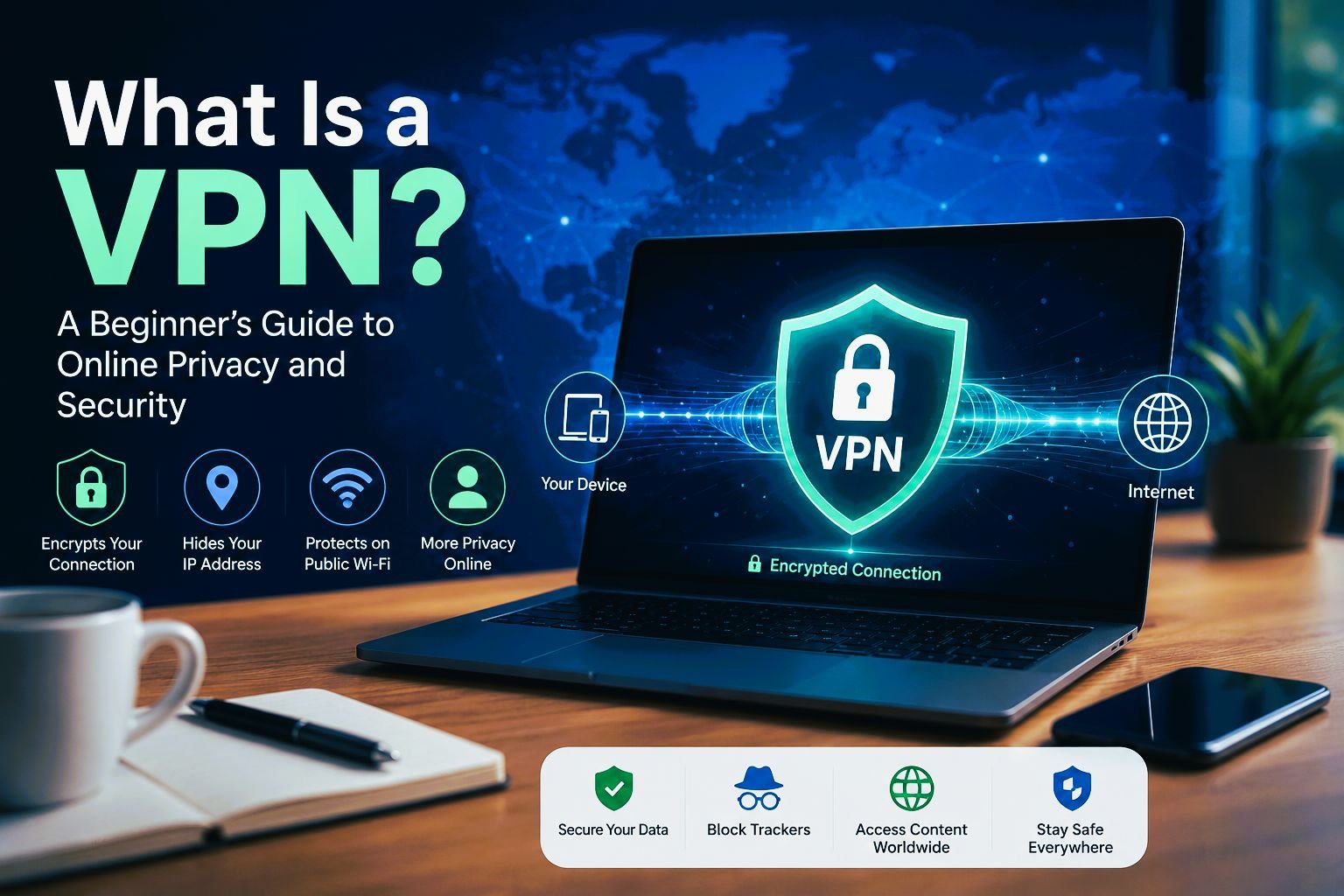
ExpressVPN is a virtual private network (VPN) that secures your online privacy by encrypting your internet traffic and masking your IP address.
VPN technology is widely used to help protect communications travelling across public networks such as the internet. The National Institute of Standards and Technology (NIST) explains that VPN technologies can provide an additional layer of protection for data transmitted across networks, including confidentiality and integrity protections.
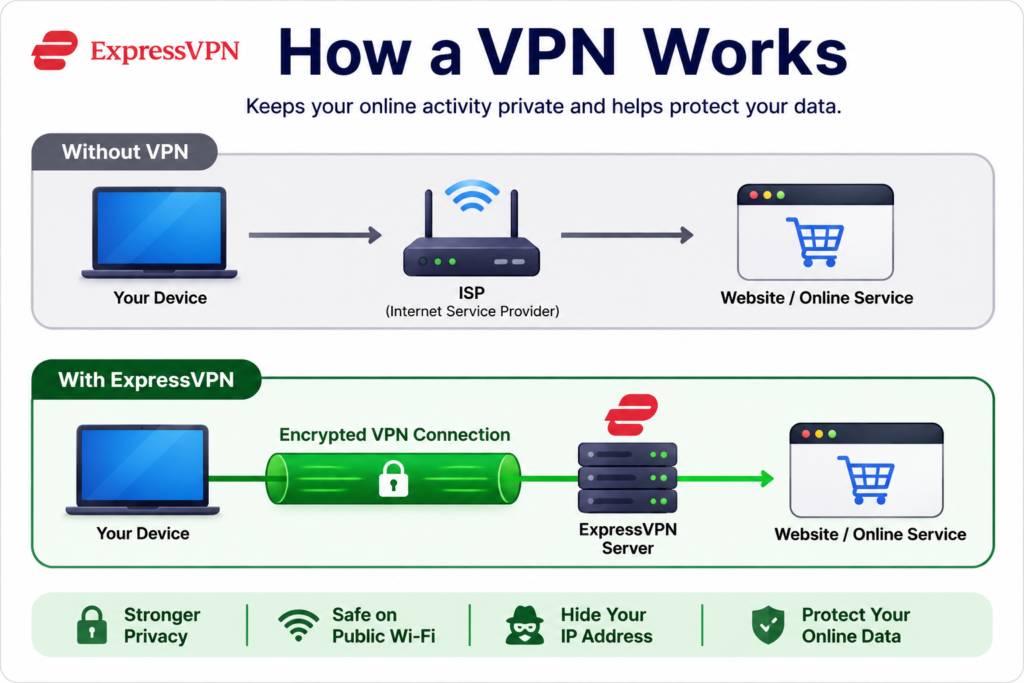
Under normal circumstances, your internet service provider (ISP), websites, and potential eavesdroppers on public Wi-Fi networks can monitor your browsing activity and device details. ExpressVPN prevents this by routing your data through an encrypted tunnel to a secure VPN server before it reaches its destination. This setup hides your online activity and true location from third parties.
Despite the advanced technology behind it, the service operates seamlessly in the background. Users can secure their entire connection effortlessly—simply open the app and tap the connect button.
Why People Use ExpressVPN
People use VPNs for many different reasons, and not all of them are related to privacy. For many users, ExpressVPN is simply a convenient tool that helps them browse more securely and access the internet more freely.
Here are some of the most common reasons people choose ExpressVPN.
Protect Your Data on Public Wi-Fi
Public Wi-Fi is convenient, but networks in coffee shops, airports, hotels, libraries, and shopping malls may not always be properly secured. This can increase the risk of your internet traffic being intercepted, particularly when accessing sensitive accounts.
ExpressVPN encrypts your internet connection, adding a layer of protection when you use public or unsecured Wi-Fi. This can help protect sensitive information, such as passwords, emails, payment details, and online banking sessions, as data travels between your device and the VPN server.
Public Wi-Fi is generally safer today because most websites use HTTPS encryption, but you should still take basic precautions when using shared networks. The U.S. Federal Trade Commission (FTC) recommends protecting your accounts with strong passwords and two-factor authentication, keeping your devices and software updated, and checking that websites use secure connections.
Improve Online Privacy
Many websites, advertisers, and internet service providers collect information about your browsing habits to measure user behaviour, personalize content, or build advertising profiles. A VPN can reduce some of the information visible to your ISP and other parties by hiding your IP address and encrypting your internet traffic.
However, a VPN does not make you completely anonymous online. Websites can still identify or track you through methods such as cookies, browser fingerprinting, advertising trackers, or accounts you are logged into. ExpressVPN therefore should be viewed as a privacy tool that reduces your online exposure, rather than a way to become invisible on the internet.
By hiding your IP address and encrypting your connection, ExpressVPN can give you greater privacy and control over some of the information exposed while browsing the web.
Access Content While Travelling
Streaming services often offer different content libraries depending on the country you’re visiting.
If you’re travelling overseas, you may discover that some of your favourite TV shows or movies are unavailable simply because you’re in a different region.
ExpressVPN offers servers in more than 113 countries, making it easier to access content available in supported regions, subject to each streaming provider’s terms of service.
Key Features
ExpressVPN includes all the core features you would expect from a premium VPN, along with several tools designed to improve privacy, security, and everyday convenience.
One-Click Connection with Smart Location
One of ExpressVPN’s biggest strengths is its simplicity. Whether you’re using the Windows desktop app, an iPhone, or an Android device, connecting to the VPN is as easy as pressing one large Connect button.
When you launch the app, ExpressVPN’s Smart Location feature can automatically recommend a suitable server based on factors such as network speed, latency, and distance. For most users, this means you can simply open the app, click Connect, and let ExpressVPN choose an appropriate server for your connection.
If you prefer to connect to a specific country or location, you can search for it or choose from your recent and favourite locations. This straightforward design makes ExpressVPN particularly appealing to first-time VPN users who want the benefits of a VPN without having to navigate complicated menus or technical settings.
Global Server Network
With coverage across 113 countries, ExpressVPN makes it easy to find a fast server near your physical location or connect to international servers for geo-restricted media.
A large server network offers several practical benefits such as better performance, more location choices, and reduced server congestion.
Split Tunneling
ExpressVPN’s Split Tunneling feature lets you choose which apps send their traffic through the VPN and which connect directly to the internet as not every app on your device needs to use the VPN. In online banking, some financial institutions may ask for additional verification when they detect a login from another country. With Split Tunneling, you can choose to access your banking website through your normal internet connection while keeping other apps protected by the VPN.
Kill Switch
If the VPN disconnects unexpectedly because of a network interruption, unstable Wi-Fi, or another issue, ExpressVPN’s integrated Kill Switch immediately blocks all internet traffic until the secure VPN connection has been restored.
Additional Privacy & Security Tools
Depending on the subscription tier, ExpressVPN also includes additional tools such as ExpressKeys, tracker and malicious-site blocking, and parental controls.
Security & Privacy
A VPN is only as good as the security and privacy protections behind it. After all, you’re trusting the provider to handle your internet traffic securely and responsibly.
AES Encryption & Lightway
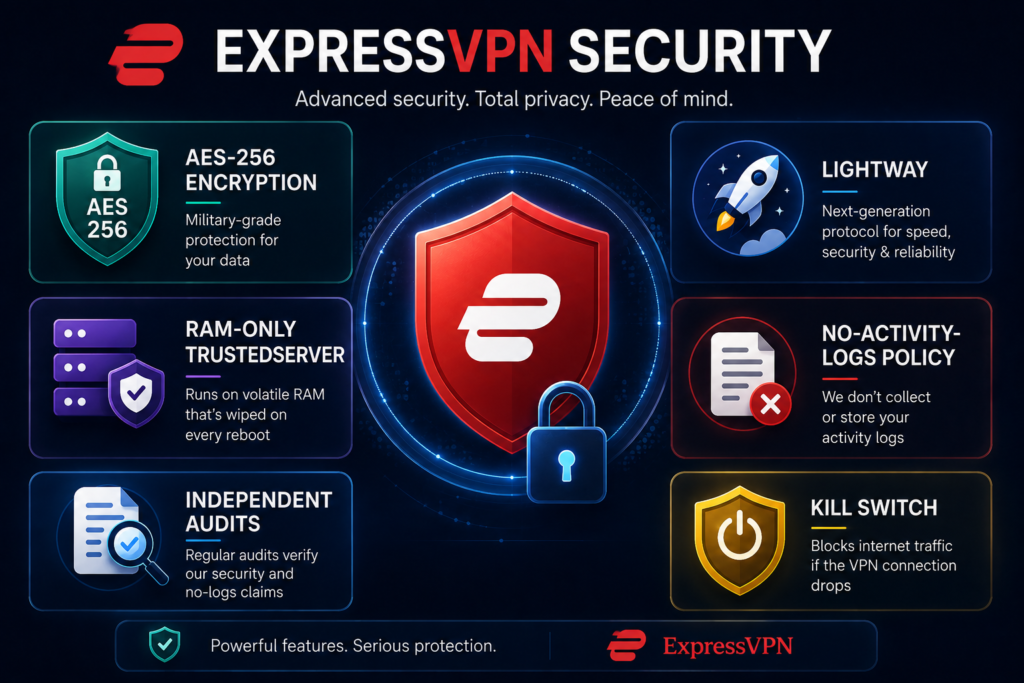
ExpressVPN uses AES-256 encryption, a widely used encryption standard designed to protect data from unauthorized access.
Lightway protocol provides faster connection times, improved battery efficiency on mobile devices, and strong security. It is designed to reconnect quickly when switching between Wi-Fi and mobile data, making it ideal for travelers and users on the go.
No-Logs Policy
ExpressVPN follows a no-activity-logs policy that has been independently assessed through third-party audits. It does not record browsing history, websites you visit, DNS queries —the requests that help translate website names into internet addresses, traffic destinations, IP address and content of your internet traffic. However, ExpressVPN does collect limited information required to operate the service, such as account and subscription information.
TrustedServer Technology
ExpressVPN’s TrustedServer technology uses RAM-only servers rather than traditional hard drives. Because RAM is temporary memory, information stored there is erased when the server is restarted.
Independent Audits
ExpressVPN regularly undergoes independent security, privacy, and infrastructure audits conducted by respected firms including Cure53, KPMG, and PwC, to verify its no-logs policy and security claims.
Performance & Reliability
Security and privacy are important when choosing a VPN, but everyday performance matters just as much. A VPN that slows your internet too much, frequently disconnects, or struggles with streaming can quickly become frustrating.
Speed
ExpressVPN generally delivers fast connections, particularly when connecting to nearby servers. However, the actual speed you experience depends on factors such as your internet connection, server distance, network congestion and VPN protocol.
Latency & Gaming
Latency, often called ping, measures how long it takes data to travel between your device and a server.
Nearby servers can help keep latency relatively low, which can make ExpressVPN suitable for online gaming. However, gamers should expect some variation depending on their location and network conditions.
Streaming
Streaming is one of the most popular reasons people subscribe to VPN services, and ExpressVPN has long been recognized for its streaming capabilities.
ExpressVPN’s combination of fast servers and reliable connections makes it suitable for HD streaming, 4K streaming, watching content while travelling, reducing buffering caused by unstable public Wi-Fi.
Server Stability
ExpressVPN maintains high uptime and stable connections across its network. It focuses heavily on connection stability through a large global server network, modern VPN protocols, regular infrastructure updates and automatic server selection.
Ease of Use
Many VPN services offer advanced features but can feel overwhelming for beginners.
ExpressVPN takes the opposite approach by prioritizing a clean, simple interface. The apps are designed so that most users can install the application, sign in, press the Connect button and start browsing securely.
The interface is consistent across platforms, making it easy to move between your computer, smartphone, and tablet.
Pricing & Plans
ExpressVPN is positioned as a premium VPN service, so it generally costs more than many competing VPN providers. In return, its plans combine VPN protection with different levels of additional privacy and security features.
ExpressVPN currently offers three subscription tiers: Basic, Advanced, and Express Pro. The main differences are the number of simultaneous connections and the additional tools included with each plan.
Basic
- Device Limit: Up to 10 simultaneous connections
- Core Security: ExpressVPN protection, essential ad/malicious site blocking, parental controls
- Included Tools: Limited ExpressMailGuard
- Add-ons: Dedicated IP available separately
Advanced
- Device Limit: Up to 12 simultaneous connections
- Core Security: Enhanced protection against ads, trackers, and malicious sites, parental controls
- Included Tools: ExpressKeys password manager, expanded ExpressMailGuard capabilities
- Add-ons: Dedicated IP available separately
Express Pro
- Device Limit: Up to 14 simultaneous connections
- Core Security: Advanced ad, tracker, and threat protection, parental controls
- Included Tools: ExpressKeys password manager, full ExpressMailGuard capabilities, ExpressAI
- Dedicated IP included
Which ExpressVPN Plan Should You Choose?
For most people, selecting the right tier comes down to which extra security tools and device limits you actually need:
- Choose Basic if: You simply want a fast, reliable VPN for private browsing, public Wi-Fi, and streaming across a standard number of household devices.
- Choose Advanced if: You want the core VPN paired with everyday privacy tools like a dedicated password manager and stronger tracker blocking.
- Choose Express Pro if: You have a high device volume (up to 14), need a dedicated IP bundled into your plan, or want full access to ExpressVPN’s complete suite, including ExpressAI.
For most everyday users, Basic or Advanced is more than enough. Upgrading to Express Pro only makes sense if you plan to actively use the bundled dedicated IP and advanced management tools.
30-Day Money-Back Guarantee
ExpressVPN offers a 30-day money-back guarantee for eligible new customers, giving you an opportunity to try the service with less financial risk. If you decide that ExpressVPN isn’t right for you, you can request a refund within the applicable guarantee period.
Because ExpressVPN’s prices, promotional offers, and included extras can change, check the provider’s official website for the latest pricing and plan details before subscribing.
ExpressVPN vs Top Competitors
The VPN market is highly competitive. While ExpressVPN is one of the most respected providers, it is not necessarily the perfect choice for everyone.
Different VPNs focus on different priorities, such as price, advanced features, device limits, or customization.
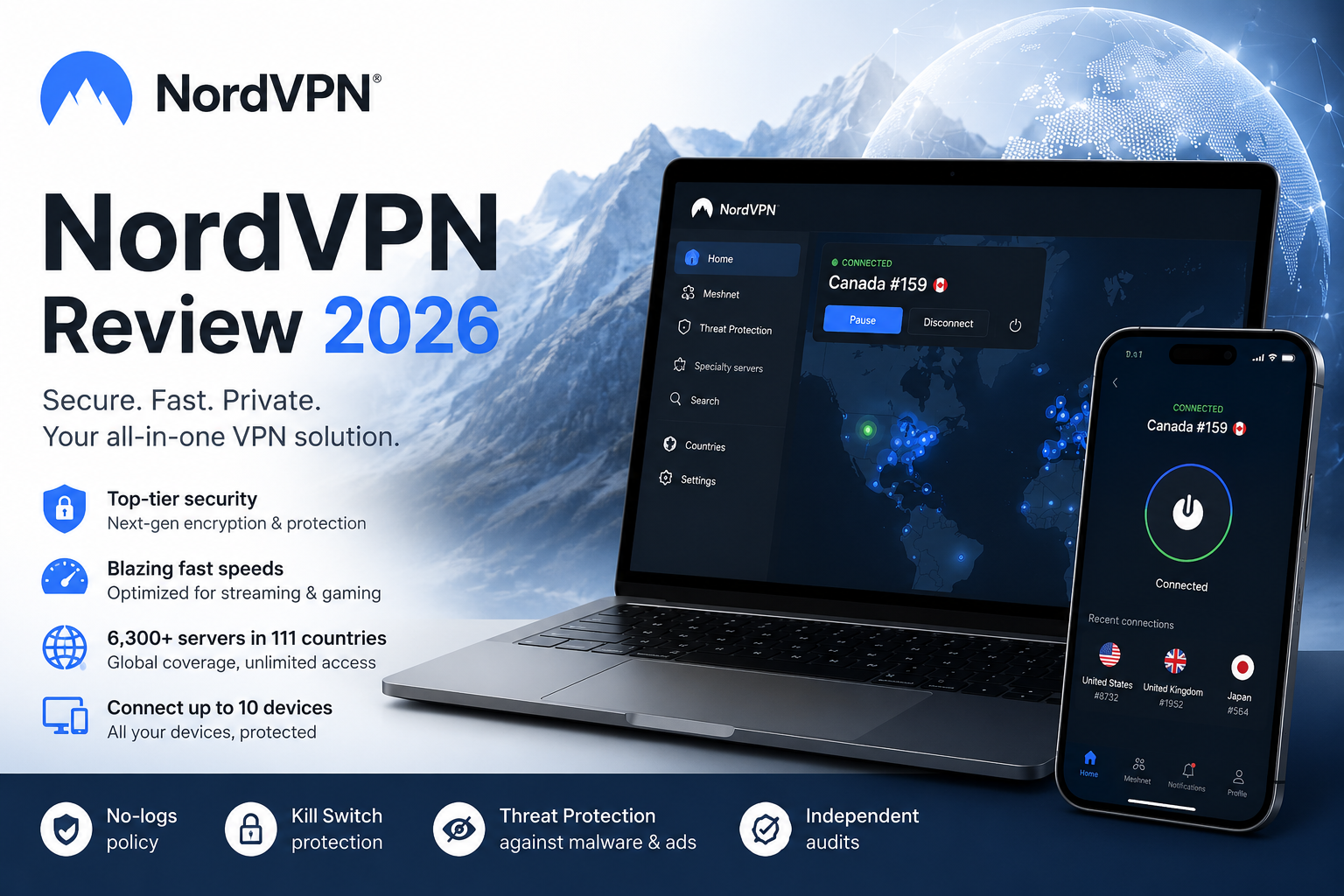
ExpressVPN vs NordVPN
NordVPN stands out as ExpressVPN’s primary rival, catering directly to users who want a feature-dense security setup. Both providers deliver high-speed connections, robust encryption, reliable streaming capabilities, and broad cross-platform app support.
- NordVPN Advantages: Built for power users, offering dedicated servers, Dark Web Monitoring, built-in scam/malware defense, up to 10 device connections, and extensive customization options.
- ExpressVPN Advantages: Offers an intuitive interface, simple one-click connections, and a fast, reliable global network that requires little technical setup.
- Choose ExpressVPN if: You want a clean, fuss-free VPN that works seamlessly right out of the box.
- Choose NordVPN if: You want specialized server types, advanced security add-ons, and granular control over your network settings.
ExpressVPN vs Surfshark
If budget efficiency and maximum device coverage are your main priorities, Surfshark presents a compelling alternative to ExpressVPN. Its headline feature—unlimited simultaneous connections—makes it a natural fit for large households and tech-heavy families.
- Surfshark Advantages: Uncapped device limits, aggressive long-term pricing, and an expanded security suite featuring CleanWeb ad-blocking, Alternative ID, antivirus protection, and data breach monitoring on upper tiers.
- ExpressVPN Advantages: Delivers a higher-end, polished user experience backed by excellent network stability and a streamlined app interface designed for effortless navigation.
- Choose ExpressVPN if: You value premium build quality, seamless consistency, and simplicity over raw device volume.
- Choose Surfshark if: You want to cover dozens of household devices under a single subscription without spending top dollar.
ExpressVPN vs Proton VPN
Rooted in Swiss privacy laws, Proton VPN appeals directly to security purists and open-source advocates. It differentiates itself by offering both a functional free tier and an infrastructure built around defense-in-depth architecture.
- Proton VPN Advantages: Features a genuinely useful free plan, multi-hop Secure Core routing, NetShield ad/tracker blocking, and a strong track record of open-source transparency. Paid tier supports 10 connections.
- ExpressVPN Advantages: Emphasizes fast performance and broad global access, with a straightforward interface that avoids complicated technical configurations.
- Choose ExpressVPN if: You want high-speed, dependable protection and everyday ease of use without navigating advanced privacy settings.
- Choose Proton VPN if: You prioritize open-source verification, ultra-secure routing architectures, or want a reliable free option to test out first.
Pros and Cons
Pros
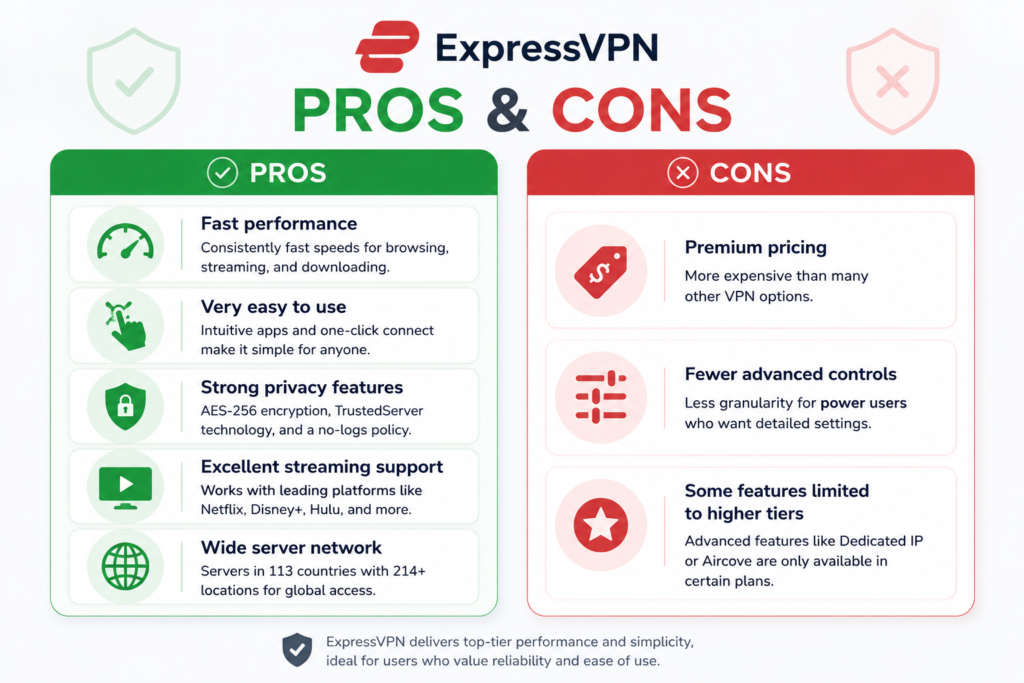
✅ Fast performance with Lightway
✅ Easy, beginner-friendly interface
✅ Strong privacy protection
✅ RAM-only servers technology
✅ Independent audited no-logs policy
✅ Excellent streaming performance
Cons
❌ More expensive than many competitors
❌ Limited advanced customization options
❌ Some features require higher-priced plans
❌ No free plan (only 30-day money-back guarantee)
Who Is ExpressVPN For?
ExpressVPN is best suited to users who want strong privacy protection and reliable VPN performance without having to deal with complicated settings or configuration.
It is particularly suitable for VPN beginners who want a straightforward way to protect their internet connection, as well as frequent travelers who regularly use hotel, airport, café, or other public Wi-Fi networks. Its fast connections and broad server network also make it a good option for streaming users who want reliable performance and access to supported content while traveling, although availability can vary by streaming service and location.
Privacy-conscious users may also appreciate ExpressVPN’s strong encryption, no-activity-logs policy, RAM-only server technology, and independent security assessments. Depending on the subscription tier, the service supports 10, 12, or 14 simultaneous connections, making it suitable for households with multiple computers, smartphones, tablets, and other compatible devices.
Who Should Look Elsewhere?
ExpressVPN may not be the best fit if your main priority is the lowest possible price, unlimited simultaneous connections, or a larger collection of advanced privacy and security tools.
For example, Surfshark may make more sense for households that need unlimited simultaneous connections, while Proton VPN may be a better fit for users who prioritize specialized privacy features or want the option of a free VPN plan. NordVPN is another strong alternative for users who want a broader selection of advanced security features and greater control over their VPN experience.
In other words, ExpressVPN’s main appeal is not that it offers every possible VPN feature. Its strength is providing a polished combination of simplicity, performance, and privacy.
Final Verdict
ExpressVPN remains a strong premium VPN choice in 2026, particularly for everyday users who want a service that is easy to set up, simple to use, and capable of providing strong privacy and security protection.
Its main advantage is ease of use: the service combines fast speeds, polished software, and strong security features with minimal maintenance or troubleshooting required.
While budget-conscious buyers and tech-savvy users may find cheaper or more customizable alternatives, ExpressVPN is well suited to those who value strong privacy, good performance, and a straightforward setup that requires little configuration.
If price is your main driver, look elsewhere.
Frequently Asked Questions
Is ExpressVPN safe?
Yes. ExpressVPN is considered one of the safest VPN services available. It uses AES-256 encryption, operates RAM-only servers, and adheres to an independently audited no-logs policy.
Does ExpressVPN keep logs?
No. ExpressVPN states that it follows a strict no-logs policy and does not store information that could identify your online activity.
It does not record websites you visit, browsing history, DNS queries, traffic destinations and your original IP address connected to your activity.
ExpressVPN does collect limited information required to operate the service, such as account and subscription information.
Does ExpressVPN work with Netflix?
Yes. ExpressVPN works with many popular streaming services, including Netflix, Disney+, Amazon Prime Video, Hulu, BBC iPlayer, and Max.
ExpressVPN’s large server network and ongoing maintenance help it remain one of the more reliable VPN options for streaming.
Does ExpressVPN slow down internet speed?
All VPNs introduce some speed reduction because your internet traffic must be encrypted and routed through an additional server. However, ExpressVPN’s Lightway protocol is designed to minimize this impact.
For most users with a reasonably fast internet connection, the difference is often difficult to notice during normal activities such as browsing, video calls, and streaming.
How many devices can I use with ExpressVPN?
The number of devices you can connect simultaneously depends on your subscription. Current plans support 10, 12, or 14 simultaneous connections.
Installing ExpressVPN on a compatible router allows every device connected to your home network to benefit from VPN protection while counting as only one connection.
Can ExpressVPN be installed on a router?
Yes. ExpressVPN supports installation on selected compatible routers using its dedicated router firmware.
A router installation protects all devices connected to your home network, including devices that may not support VPN apps, such as some smart TVs and gaming consoles.
This is particularly useful for households with many connected devices.
Is ExpressVPN legal?
VPNs are legal in many countries, including Canada and the United States. However, some countries restrict or regulate VPN use. Regardless of where you live, using a VPN does not make illegal activity legal.
Does ExpressVPN have a free version?
No. ExpressVPN does not offer a free VPN plan.
Instead, it provides a 30-day money-back guarantee, allowing users to test the service and request a refund if it does not meet their expectations.
Can ExpressVPN protect me from hackers?
ExpressVPN can help protect your data by encrypting your internet connection and reducing the risk of interception, especially on public Wi-Fi networks. However, it cannot prevent every type of cyber threat.
A VPN does not replace antivirus software, password managers, multi-factor authentication, or protection against phishing scams.
Good cybersecurity requires multiple layers of protection.
Is ExpressVPN worth the money?
For many users, yes.
ExpressVPN costs more than many competitors, but the higher price reflects its strong infrastructure, polished apps, reliable performance, and privacy-focused design.