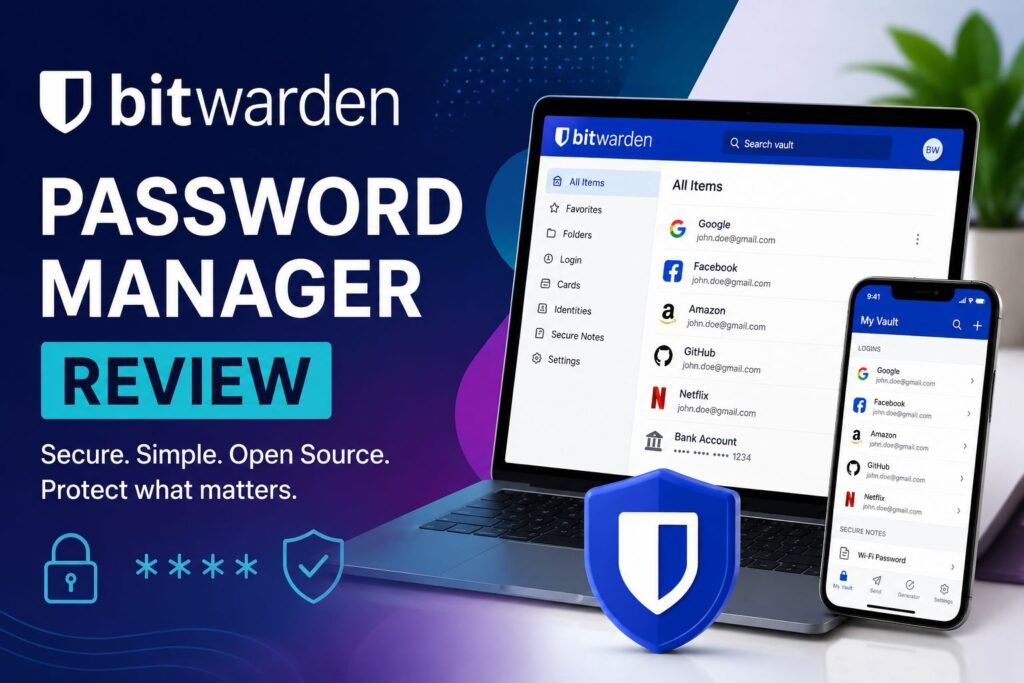
Bitwarden is a powerful, open-source password manager that combines top-tier security, cross-platform syncing, and excellent value for users looking to better protect their digital accounts and sensitive data.
Introduction
In this Bitwarden review, we examine whether Bitwarden deserves its reputation as one of the best password managers available today. With growing cyber threats, password reuse, phishing attacks, and data breaches becoming increasingly common, using a secure password manager is now more important than ever.
This review covers Bitwarden’s security, features, pricing, and suitability for individuals and families in 2026.
Quick Answers About Bitwarden
What Is Bitwarden?
Bitwarden is a password manager that securely stores, generates, and autofills passwords across multiple devices. It uses end-to-end encryption and zero-knowledge security to help protect user accounts and sensitive information.
Is Bitwarden Safe?
Yes, Bitwarden is considered safe because it uses AES-256 encryption, zero-knowledge architecture, and multi-factor authentication. It is also open-source and independently audited by security researchers.
Can Bitwarden See My Passwords?
No, Bitwarden cannot see your passwords because it uses a zero-knowledge architecture. Your vault is encrypted locally on your device before being uploaded to Bitwarden’s servers.
- Introduction
- Quick Answers About Bitwarden
- What is Bitwarden?
- Bitwarden Review: Its Key Features
- Password Generator and Username Generator
- Unlimited Passwords and Unlimited Devices
- End-to-End Encrypted Cloud Vault
- Cross-Platform Sync and Browser Support
- Zero-Knowledge Architecture
- Two-Factor Authentication (2FA) Support
- Biometric Authentication
- Vault Health Reports and Dark Web Monitoring
- Secure Notes and Sensitive Information Storage
- Family Sharing and Secure Vault Sharing
- Bitwarden Send
- Open-Source Security
- Passkey Support
- Bitwarden Pros and Cons
- Bitwarden vs Competitors: How It Stacks Up in the Password Manager Market
- Pricing Plan
- Who Should Use Bitwarden?
- Final Verdict
- Frequently Asked Questions
What is Bitwarden?
With Bitwarden, users can securely store login credentials, credit card details, secure notes, and identity information in an encrypted vault that syncs across platforms such as Windows, macOS, Linux, Android, and iOS, as well as browser extensions.
Bitwarden uses AES-256 encryption, an industry-standard encryption method designed to protect sensitive data. Your passwords are encrypted on your device before they are ever sent to Bitwarden’s servers, ensuring that only you can access them with your master password. Even if hackers breached their systems, they’d only find scrambled, useless data.
A major advantage of Bitwarden is its open-source nature. Because its code is publicly available, security experts around the world can inspect it for vulnerabilities, increasing transparency and trust. In addition, Bitwarden undergoes regular third-party security audits to further strengthen its system.
It also supports optional two-factor authentication (2FA) for an extra layer of protection. Even in the unlikely event of a server breach, encrypted data remains unreadable without your master key.
Overall, Bitwarden provides strong, enterprise-grade security in a user-friendly package suitable for everyday users.
Bitwarden Review: Its Key Features
Password Generator and Username Generator
Bitwarden includes a built‑in password generator that creates strong, unique passwords for every account. When adding or updating a login, Bitwarden automatically suggests a secure password and saves it to your encrypted vault, helping prevent password reuse—a major cause of account breaches.
Bitwarden also offers a username generator that creates random usernames. While usernames are less sensitive than passwords, using randomized identities adds an extra layer of security, improves privacy, and reduces tracking across websites.
Unlimited Passwords and Unlimited Devices
One of Bitwarden’s biggest advantages is that it allows users to store unlimited passwords and use the service on unlimited devices, even on its free plan. You can access your vault from smartphones, tablets, laptops, and desktop computers without device restrictions, making Bitwarden one of the best free password managers available.
End-to-End Encrypted Cloud Vault
Bitwarden uses AES-256 encryption to protect vault data and encrypts your information locally on your device before it is transmitted to Bitwarden’s servers. Your encrypted vault is then securely synchronized through the cloud, allowing you to access your passwords across multiple devices.
Because your data remains encrypted during transmission and storage, unauthorized parties cannot read your vault contents without your master password.
This article shows the claim about Bitwarden’s commitment to security, privacy, and compliance with international standards.
Cross-Platform Sync and Browser Support
Bitwarden syncs your passwords and sensitive information across major operating systems and applications, including:
- Windows
- macOS
- Linux
- Android
- iOS devices
It also supports popular browsers such as:
- It also supports popular browsers such as:
- Google Chrome
- Microsoft Edge
- Mozilla Firefox
- Safari
This cross-platform compatibility allows users to securely access their vault almost anywhere.
Zero-Knowledge Architecture
Bitwarden uses a zero-knowledge security model, meaning the company cannot see or access your vault contents. Your vault is encrypted locally before being uploaded to Bitwarden’s servers, and only your master password can decrypt the information.
This architecture helps protect user privacy because even Bitwarden itself does not have access to your saved passwords, secure notes, or other sensitive information.
Two-Factor Authentication (2FA) Support
For additional account protection, Bitwarden supports 2FA to protect your vault. It works by requiring authentication from another source when you log in. After enabling 2FA, logging into your Bitwarden vault requires both:
- Your master password
- A second verification method
It supports multiple 2FA methods, including:
- Email verification
- Authenticator apps (TOTP)
- Passkey
- Hardware security keys
- Duo Security
This extra layer of security helps protect your vault even if your master password is compromised.
Biometric Authentication
Bitwarden supports biometric authentication on compatible devices. After logging in with your master password, you can unlock your vault with biometrics.
The biometrics can be set up for desktop apps (Windows Hello, macOS, Linux), browser extension (Google Chrome, Microsoft Edge, Opera, Firefox, Safari) and mobile (fingerprint unlock, face unlock, Touch ID).
Biometric login improves convenience while adding another layer of local device security.
Vault Health Reports and Dark Web Monitoring
Bitwarden includes vault health tools that help users identify security risks, such as:
- Reused passwords
- Weak passwords
- Exposed passwords found in known data breaches
- Unsecured websites without HTTPS
These reports help users improve their overall password security and reduce the risk of account compromise.
Secure Notes and Sensitive Information Storage
In addition to passwords, Bitwarden can securely store other sensitive information, including:
- Credit card details
- Identity information
- Secure notes
- Software license keys
- Personal documents
All stored information is protected using the same encryption standards as password entries.
Family Sharing and Secure Vault Sharing
Bitwarden allows users to securely share passwords and sensitive information with family members or trusted individuals through shared vaults and organizations.
This feature is useful for:
- Families managing shared streaming accounts
- Small teams
- Shared household logins
- Emergency access situations
Users can control permissions and manage who can access specific vault items.
Bitwarden Send
Bitwarden Send lets you securely share sensitive text or files using end‑to‑end encryption, even with recipients who don’t use Bitwarden. You can set expiration dates (1 hour–30 days), maximum access limits, enable one‑time access deletion, and add a separate access password. This makes secure data sharing far safer than email, chat, or SMS, which can be intercepted and can’t be remotely deleted.
Open-Source Security
Bitwarden is a fully open‑source password manager, meaning its code is publicly available for review. This transparency allows independent security researchers to audit the software, identify vulnerabilities, and verify how encryption and user data are protected. Open‑source development strengthens trust, improves security, and ensures Bitwarden handles privacy responsibly.
Passkey Support
Bitwarden supports passkeys, a newer authentication technology designed to replace traditional passwords. Passkeys provide stronger protection against phishing attacks and make signing into websites faster and more secure.
Users can store, manage, and autofill passkeys directly from their Bitwarden vault across supported devices and browsers.
Bitwarden Pros and Cons
Its Advantages
End‑to‑End Encryption
With end-to-end encryption, your sensitive information is locked privately on your phone or computer before it even travels across the internet. Bitwarden can never see your passwords, and neither can anyone else.
Open‑Source Security
Bitwarden is built on an “open-source” model, which means they share their entire computer code with the world. This allows independent security experts to check the app for any flaws or bugs, giving you peace of mind that your passwords are being handled with total honesty and safety.
Cross‑Platform Sync
Bitwarden’s cross-platform sync ensures your vault is always up to date, no matter what device you’re using. By working seamlessly across mobile apps, web browsers, and desktop computers, it removes the hassle of remembering multiple logins and makes your passwords accessible from virtually anywhere in the world.
Affordable Pricing
One of the most cost‑effective premium plans in the industry, featuring a generous free tier, unlimited devices, sync and tools like email alias and breach monitoring.
Advanced Tools
You can generate uncrackable passwords and usernames, store private notes securely, and use Bitwarden Send to share encrypted information with others—all in one easy-to-use app.
Supports passkeys and MFA
Bitwarden supports passkeys, allowing you to log in using your device’s fingerprint or face scan. It also offers MFA, which asks for a second proof of identity—like a code sent to your phone or email—to make sure a hacker can’t get in even if they steal your password.
Limitations of Bitwarden
Interface Simplicity
Some people find the menus and buttons a bit less “beginner-friendly” than other apps that have a more modern, polished appearance. It’s built for function over fashion, which might feel a little overwhelming at first.
Learning Curve for New Users
While Bitwarden is powerful, its many advanced features can feel a bit overwhelming at first. New users might face a slight learning curve while getting comfortable with the more technical settings and tools.
Limited Built‑In Breach Monitoring
Bitwarden provides helpful reports to see if your data was leaked, but it isn’t quite as fast as other apps. While it tracks major breaches, some competitors offer more advanced, real-time alerts that notify you the very second your personal information is found at risk online.
No Native Account Recovery
For security, Bitwarden cannot reset your master password. If you lose it, you lose your data, as recovery options are intentionally limited to keep you safe.
Bitwarden vs Competitors: How It Stacks Up in the Password Manager Market
Choosing the best password manager can be challenging, especially with so many strong options available. Bitwarden stands out for its open‑source security, affordable pricing, and feature‑rich free plan, but competitors like 1Password, LastPass, Dashlane, NordPass, and Keeper each offer unique strengths. The comparison below highlights how Bitwarden measures up so readers can quickly identify the best fit for their security needs.
Bitwarden vs 1Password
1Password is known for its premium user experience, advanced organization tools, and family features. It is often considered one of the easiest password managers for beginners to use.
However, 1Password does not offer a permanent free plan, while Bitwarden includes a highly capable free tier. Bitwarden is also open- source, which appeals to users who value transparency and independent security verification. On the other hand, 1Password may feel more polished and beginner-friendly for users who prioritize convenience and design.
Bitwarden vs LastPass
LastPass was once one of the most widely used password managers, but several security incidents in recent years caused many users to look for alternatives. Bitwarden has become a popular replacement due to its open-source architecture, transparent security practices, and lower pricing.
Bitwarden also offers unlimited password storage and cross-device syncing in its free plan, making it more attractive for budget-conscious users. LastPass still provides a polished interface and strong autofill features, but Bitwarden is generally viewed as the more security-focused option.
Bitwarden vs Dashlane
Dashlane focuses heavily on convenience and premium extras such as VPN integration and dark web monitoring. Its interface is modern and easy to navigate, making it appealing to casual users.
Bitwarden, however, is usually more affordable and lightweight. Many users prefer Bitwarden because it delivers essential password management features without locking important tools behind expensive subscription tiers. Dashlane may suit users looking for an all-in-one security package, while Bitwarden is ideal for users who prioritize privacy, transparency, and value.
| Feature | Bitwarden | 1Password | LastPass | Dashlane |
|---|---|---|---|---|
| Free Plan | Yes | No | Yes (restricted) | No |
| Cross-Device Sync | Yes | Yes | Paid only | Yes |
| Password Sharing | Yes | Yes | Yes | Yes |
| Autofill Quality | Good | Excellent | Good | Excellent |
| Open-Source | Yes | No | No | No |
| Zero-Knowledge | Yes | Yes | Yes | Yes |
| Recent Breach | None reported | None reported | Yes | None reported |
| Built-in VPN | No | No | No | Yes |
Which Password Manager Is Best?
The best password manager depends on your priorities:
- Choose Bitwarden if you want open-source transparency, strong security, and excellent value.
- Choose 1Password if you prefer a highly polished premium experience.
- Choose Dashlane if you want additional security tools like VPN services.
For many users, Bitwarden strikes the best balance between security, affordability, transparency, and cross-platform support, making it one of the strongest password manager choices available today.
Pricing Plan
With its free version, users get access to many features that are typically locked behind paid plans offered by competitors. However, Bitwarden also provides premium options for users who need more advanced features, including the Premium Plan and Family Plan.
| Feature | Free | Premium | Family |
|---|---|---|---|
| Price (Monthly) | Free | $1.65 | $3.99 |
| Price (Annually) | Free | $19.80 | $47.88 |
| Users | 1 | 1 | Up to 6 |
| Username and password generator | Yes | Yes | Yes |
| Unlimited devices, unlimited passwords | Yes | Yes | Yes |
| Cross‑platform apps | Yes | Yes | Yes |
| Zero-knowledge encryption | Yes | Yes | Yes |
| Passkey management | Yes | Yes | Yes |
| Store notes, credit cards, identities | Yes | Yes | Yes |
| Email Aliases | Yes | Yes | Yes |
| TOTP Authenticator | No | Yes | Yes |
| Two‑step login (2FA) | Standard | Advanced | Advanced |
| Bitwarden Send | Text only | Text + files | Text + files |
| Sharing vault items | 2 users | 2 users | 6 users |
| Vault Health Reports | Username only | Full report | Full report |
| Encrypted Attachments | No | 5GB | 5GB personal and 5GB family items |
Who Should Use Bitwarden?
Bitwarden is a versatile password manager, but it shines brightest for users who value security, transparency, and affordability.
Privacy‑Focused Individuals
Bitwarden’s open‑source architecture and zero‑knowledge encryption make it ideal for people who want full visibility into how their data is protected. If you prefer tools that can be independently audited, Bitwarden is a top choice.
Budget‑Conscious Users
Its free plan includes unlimited passwords, unlimited devices, and secure syncing—features many competitors lock behind paywalls. Anyone wanting premium‑level security without a premium price will appreciate Bitwarden.
Families Who Want Simple, Secure Sharing
The Family plan supports up to six users with shared vaults, secure item sharing, and centralized management—perfect for households managing shared logins, Wi‑Fi passwords, and financial accounts.
Cross‑Platform Users
If you switch between Windows, macOS, Linux, iOS, Android, and multiple browsers, Bitwarden’s broad compatibility ensures your vault is always accessible.
Final Verdict
Bitwarden stands out as one of the best password managers for users who want strong security, cross-platform compatibility, and excellent value without sacrificing essential features. Its open-source architecture, end-to-end encryption, and affordable premium plans make it a compelling choice for individuals, families, and businesses alike.
While the interface may feel less polished than some premium competitors and a few advanced features require a paid plan, Bitwarden delivers where it matters most: security, reliability, transparency, and ease of use.
For anyone looking for a secure and trustworthy way to manage passwords, passkeys, and sensitive information, Bitwarden remains one of the strongest recommendations in today’s password manager market.
Frequently Asked Questions
Is Bitwarden Really Safe to Use?
Yes. Bitwarden is widely considered one of the safest password managers available. It uses AES-256 encryption, zero-knowledge architecture, and optional multi-factor authentication (MFA) to protect user data. Because your vault is encrypted locally before syncing to Bitwarden’s servers, the company cannot view your passwords or sensitive information.
Does Bitwarden Offer a Free Plan?
Yes. Bitwarden’s free plan includes unlimited password storage, unlimited devices, password syncing, and basic two-factor authentication support. This makes it one of the best free password managers for most users.
Can Bitwarden Be Hacked?
Like any online service, no password manager is completely immune to attacks. However, Bitwarden’s encryption system is designed so that even if its servers were compromised, attackers would still need your master password to decrypt your vault.
Is Bitwarden Better Than Browser Password Managers?
Many security experts consider Bitwarden more secure and feature-rich than built-in browser password managers because it offers stronger encryption controls, password health reports, secure sharing features, cross-platform syncing, and advanced MFA support.
Does Bitwarden Support Passkeys?
Yes. Bitwarden supports passkeys, allowing users to securely store and autofill passwordless login credentials across compatible websites, apps, and devices.
What Happens If I Forget My Bitwarden Master Password?
Bitwarden cannot recover your master password because of its zero-knowledge security model. If you forget it and do not have recovery options configured, you may permanently lose access to your encrypted vault.