Quick Verdict
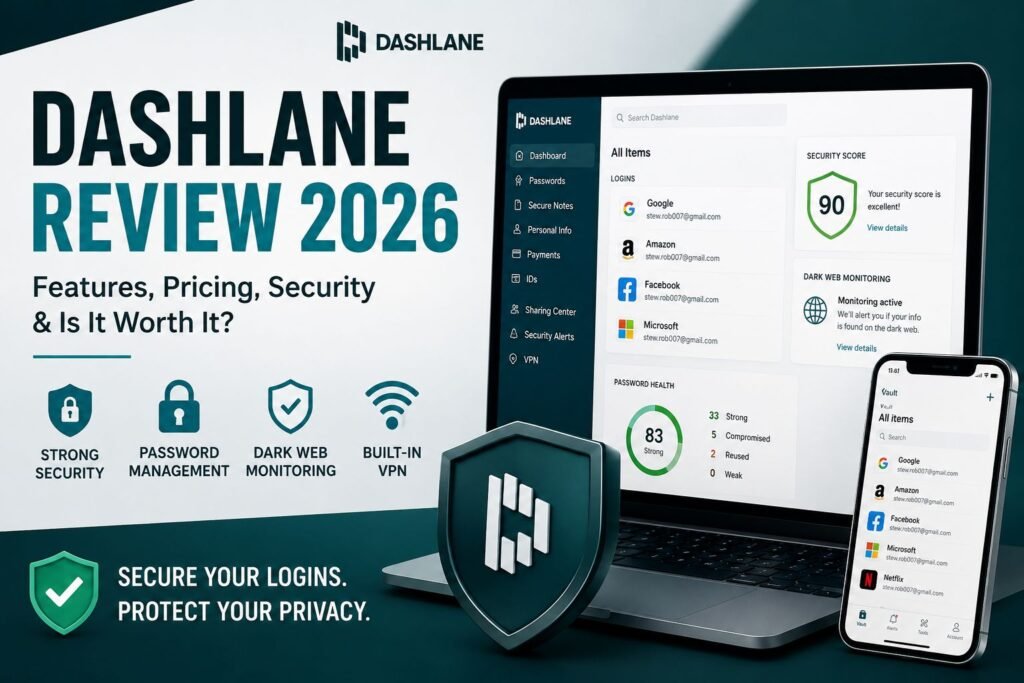
Dashlane is a premium password manager that combines strong security, excellent autofill, dark web monitoring, and passkey support in an easy-to-use package.
Introduction
Choosing a password manager is really about balancing security, convenience, and price. In this Dashlane review, we’ll take a close look at Dashlane to see how it performs in real-world use, what features it offers, where it stands out, and whether it still makes sense compared to competitors.
Why Trust This Dashlane Review?
This Dashlane review is based on publicly available product documentation, security information, pricing details, feature analysis, independent testing reports, and comparisons with leading password managers such as 1Password, Bitwarden, and LastPass.
Dashlane Review Rating
Overall Rating: 9.2/10
Dashlane delivers an excellent balance of security, ease of use, and convenience. Its strong autofill performance, dark web monitoring, and passkey support make it one of the best premium password managers available. While its pricing is higher than some competitors, the overall experience justifies the cost for many users.
Security
9.5/10
Ease of Use
9.5/10
Features
9.3/10
Pricing
8.5/10
Support
8.8/10
Overall
9.2/10
Pros and Cons at a Glance
What We Like
✅ Strong security and privacy protections
✅ Built-in VPN included
✅ Excellent autofill and password capture
✅ Dark Web Monitoring
✅ Passkey support
✅ Easy to set up and use
What Could Be Better
❌ Higher price than budget alternatives
❌ No free plan
❌ Browser-first design may not suit everyone
❌ Fewer customization options
❌ Support response times can vary
❌ VPN lacks advanced features
- Introduction
- Dashlane Review Rating
- Pros and Cons at a Glance
- Quick Answers
- What Is Dashlane?
- Dashlane Review: Features and Functionality
- Dashlane Review: Security & Privacy
- Ease of Use and User Experience
- Dashlane Pricing Plans
- Dashlane Performance and Reliability
- Dashlane Customer Support Review
- Dashlane vs Competitors
- What We Like About Dashlane
- Where Dashlane Falls Short
- Is Dashlane Worth It? (Final Verdict)
- Frequently Asked Questions
Quick Answers
What is Dashlane?
Dashlane is a password manager designed to securely store, generate, and auto-fill passwords while protecting users from data breaches and weak credentials.
Key Features of Dashlane
✅ Secured password vault with AES encryption
✅ Automatic password generator for strong credentials
✅ Autofill for logins, payments, and personal data
✅ Built-in VPN for added privacy (premium plan)
✅ Dark web monitoring for compromised credentials
✅ Cross-device sync (desktop, mobile, browser extensions)
Is Dashlane safe to use?
Yes, Dashlane uses zero-knowledge architecture and strong encryption, meaning even the company cannot access your stored passwords.
What Is Dashlane?
Overview of Dashlane Password Manager
Dashlane is a subscription-based password manager designed to store, generate, and autofill passwords securely across devices. Beyond basic vault functionality, it positions itself as a more “all-in-one digital security tool,” offering extras like dark web monitoring and identity protection features depending on the plan.
Unlike some minimalist password managers, Dashlane emphasizes ease of use and automation, making it especially appealing for users who want security without constant manual management.
Who Should Use Dashlane?
Dashlane works best for:
- Individuals who want simple, automated password management
- Families needing shared password access
- Small to medium businesses looking for centralized credential control
It may be less ideal for users who want a fully open-source or budget-first solution.
Key Selling Points at a Glance
- Simple and polished user interface
- Strong autofill and password capture
- Built-in security alerts and breach monitoring
- Optional Dashlane VPN (on select plans)
- Cross-device syncing
Dashlane Review: Features and Functionality
Password Vault & Autofill Performance
Dashlane’s core functionality revolves around its encrypted password vault, which stores all your logins, secure notes, and sensitive personal data. Everything inside the vault is protected with zero‑knowledge, end‑to‑end encryption, meaning only you can decrypt it.
The autofill engine is one of Dashlane’s strongest features. It automatically detects login fields, payment forms, and personal‑information fields across browsers and mobile apps.
Compared to many competitors,
- Fast and highly accurate
- Able to handle multi‑step logins
- Consistent across Chrome, Firefox, Safari, Edge, and mobile apps
For users managing dozens or hundreds of accounts, this dramatically reduces login friction and saves time in daily browsing.
Password Generator
Dashlane includes a built‑in password generator that creates strong, randomized passwords with customizable:
- Length
- Character types
- Complexity rules
This tool is essential for eliminating weak or reused passwords – two of the most common causes of account breaches. Dashlane also integrates the generator directly into the autofill workflow, so when you create a new account, it automatically suggests a secure password and saves it to your vault.
Dark Web Monitoring
Dashlane’s dark‑web monitoring continuously scans databases of known breaches to detect leaked:
- Email addresses
- Passwords
- Personal information
If your data appears in a breach, Dashlane sends an immediate alert and guides you through securing the affected accounts. This feature acts as an early‑warning system, helping users respond quickly before attackers exploit exposed credentials.
It’s not just a convenience — it’s a proactive security layer that many password managers either lack or charge extra for.
VPN Included
Dashlane has partnered with Hotspot Shield to offer a built-in VPN. While not a replacement for a full‑featured standalone VPN, it offers:
- Encrypted browsing on public Wi‑Fi
- Basic IP masking
- Protection against network‑level snooping
This makes it ideal for travel, coffee shops, airports, and other unsecured networks. Think of it as an extra privacy layer, not a full cybersecurity suite.
Passkeys Support
Dashlane now supports passkeys, a modern authentication method that replaces passwords with cryptographic keys stored securely on your devices.
Dashlane Passkeys offer:
- Faster logins
- Resistance to phishing
- No password to remember or leak
Dashlane’s implementation syncs passkeys across devices, making it one of the more future‑ready password managers. As more websites adopt passkeys, this feature will become increasingly important.
Secure Notes & Digital Wallet
Dashlane’s vault isn’t limited to passwords. It also stores:
- Secure Notes: Wi‑Fi passwords, recovery keys, private instructions
- Payment details: Credit cards, bank accounts, billing info
- IDs and personal documents: Passports, driver’s licenses, insurance cards
All of this data is encrypted and accessible only through your master password or biometric authentication (Face ID, Touch ID, Windows Hello). The digital wallet also integrates with autofill, making online checkout significantly faster.
Dashlane Review: Security & Privacy
AES-256 Encryption
Dashlane’s security foundation is built on AES‑256 encryption, the same standard used by banks, governments, and military organizations. All data in your vault (passwords, notes, payment details, IDs) is encrypted locally on your device before it ever reaches Dashlane’s servers.
This is part of Dashlane’s zero‑knowledge architecture, meaning Dashlane cannot see, decrypt, or access your vault, your master password never leaves your device, and even if Dashlane’s servers were compromised, your data would remain unreadable.
Dashlane supports 2FA to add an extra layer of protection beyond your master password. When enabled, logging in requires your master password and a time‑based one‑time code (TOTP) from an authentication app like Authy or Google Authenticator
This means that even if someone steals your master password, they still cannot access your vault without the second factor.
Dashlane also supports biometric authentication and security keys.
Security Audits
Dashlane undergoes independent third‑party security audits that assess key areas of its protection measures, including:
ensuring the software behaves as intended,
verifying that sensitive data is properly protected,
evaluating the safety of servers and supporting systems,
identifying weaknesses that could be exploited, and
checking alignment with recognized security standards
These audits provide external validation that Dashlane’s security practices are more than marketing claims.
Ease of Use and User Experience
Getting Started With Dashlane
Dashlane is built for simplicity, so setting it up only takes a few steps:
- Create your account: Choose your email and a strong master password—the only one you’ll need to remember.
- Install the extension or app: This enables password saving, autofill, and secure browsing on your device.
- Import your passwords: Bring in logins from your browser or another password manager with guided prompts.
- Turn on autofill: Dashlane will automatically fill logins and forms to save you time.
The onboarding flow is designed for everyday users, with clear instructions and helpful tips so you can start securing your accounts right away—no technical background needed.
Browser Extensions & Mobile Apps
Dashlane works across all major platforms, making it easy to access your passwords wherever you are. It offers:
- Browser extensions for Chrome, Firefox, Edge, and Safari
- Mobile apps for Android and iOS
Once you sign in, your data syncs automatically across all devices, so your passwords and secure information stay up to date without any extra steps.
User Interface and Navigation
Dashlane’s interface is designed to feel clean, modern, and easy to understand. Everything is neatly organized into clear categories, such as passwords, secure notes, and identity information, so you can quickly find what you need without digging through menus.
Navigation is straightforward, even for first‑time users. The layout highlights the most important tools, offers simple prompts, and keeps advanced features tucked away until you need them. This makes the experience smooth for beginners while still offering depth for more experienced users.
Password Import and Export Options
Dashlane makes it easy to move your passwords in or out of the platform, whether you’re switching from another manager or creating a backup.
Dashlane supports:
- Password imports from browsers, other password managers, and CSV files
- Password exports to a secure, encrypted file when you need a backup or want to migrate
- Automatic syncing so your imported or updated passwords appear instantly on all logged‑in devices
The process is designed to be simple and user‑friendly, with clear prompts that guide you through each step. Even if you’re new to password managers, Dashlane makes organizing and transferring your data straightforward.
Dashlane Pricing Plans
Premium Plan
The Premium Plan is the most popular option for individual users and unlocks the full Dashlane experience.
Premium features include unlimited store and autofill passwords, unlimited number of devices, unlimited secure sharing, dark web monitoring, VPN powered by Hotspot Shield, advanced security alerts, passkey support, and Live chat support
The addition of VPN access and continuous dark web monitoring gives Dashlane an advantage over many competing password managers that charge extra for similar protection.
Best for: Individuals who want comprehensive password management and online privacy protection.
Friends & Family Plan
The Friends & Family Plan extends Premium features to include 10 members under a single subscription.
Each member receives a private encrypted vault, unlimited passwords and devices, dark web monitoring, VPN access, and secure password sharing
Shared folders make it easy to manage household accounts such as streaming services, utility providers, travel accounts, and subscription services without exposing personal passwords.
Best for: Families, couples, and small groups looking for secure password sharing.
14 Days Trial Period
Dashlane offers 14-day free trial period to experience the Premium Plan for evaluation. If you choose not to upgrade to a paid annual subscription when the trial period expires, your vault will be frozen and you will lose access to core features. Dashlane allows you to export your existing data and then use it on another password manager.
While this trial is useful for testing the service, its limitations make it difficult to use as a long-term solution. Users who regularly switch between a smartphone, tablet, and computer will likely find the restrictions frustrating.
Which Dashlane Plan Offers the Best Value?
For most users, the Premium Plan delivers the best balance of features, convenience, and security.
The Friends & Family Plan provides excellent value for households.
If you’re looking for a password manager that combines password security, dark web monitoring, passkey support, and VPN protection in a single platform, Dashlane Premium is likely the best choice for the majority of users.
Dashlane Performance and Reliability
Autofill Accuracy
Dashlane’s autofill accuracy is consistently strong across major websites and apps.
It reliably detects login fields, payment forms, and personal‑information fields with minimal errors.
This autofill is helpful to speed through checkout without re-typing their info.
Sync Speed
Dashlane’s sync performance is one of its standout strengths.
Updates, such as new passwords, edits, or secure notes, typically appear on other devices within seconds.
Whether you switch between a laptop, phone, or tablet, the transition feels seamless.
Daily Reliability
Dashlane is known for being stable, consistent, and low‑maintenance.
Once you’ve completed the initial setup, it runs quietly in the background, it captures new passwords automatically, it fills forms without needing manual prompts, and it rarely requires troubleshooting or restarts.
Dashlane Customer Support Review
Support Channels
Dashlane offers multiple support channels designed to help users resolve issues efficiently. While the company does not provide phone support, it offers email assistance, live chat for eligible paid subscribers, and in-app support options that allow users to submit requests directly from their accounts.
For most users, these channels are sufficient to handle common issues such as account recovery questions, subscription management, password import problems, and troubleshooting autofill behavior.
Knowledge Base and Self-Service Resources
One of Dashlane’s strongest support assets is its extensive online knowledge base. The support center includes detailed articles, setup guides, troubleshooting resources, and frequently asked questions covering virtually every aspect of the platform.
Users can find step-by-step instructions for tasks such as:
- Importing passwords from browsers and competing password managers
- Setting up two-factor authentication (2FA)
- Configuring passkeys
- Managing secure sharing and family accounts
- Resolving synchronization issues
- Recovering access to devices
Dashlane also provides visual walkthroughs and tutorial content that make it easier for less technical users to understand security concepts and platform features.
For many users, these self-service resources eliminate the need to contact support altogether.
Response Time and Support Quality
Dashlane’s support quality is generally reliable and professional. Email inquiries typically receive responses within one business day, while live chat support can often provide assistance in real time during operating hours.
Support representatives are usually knowledgeable and capable of handling both technical and account-related questions. Rather than providing generic responses, support agents often guide users through specific troubleshooting steps, making the experience more helpful for those encountering setup or synchronization issues.
Overall Customer Support Experience
While Dashlane’s support ecosystem is not as extensive as some enterprise-focused competitors, it provides a solid balance of self-service resources and direct assistance. The combination of a comprehensive knowledge base, responsive support team, and user-friendly documentation makes it easy for most customers to find solutions quickly. For the majority of individual users and families, Dashlane’s support experience is dependable and more than adequate for day-to-day needs.
Dashlane vs Competitors
| Feature | Dashlane | 1Password | Bitwarden | LastPass |
|---|---|---|---|---|
| Free Plan | No | No | Yes | Yes (restricted) |
| Cross‑Device Sync | Yes | Yes | Yes | Paid only |
| Password Sharing | Yes | Yes | Yes | Yes |
| Autofill Quality | Excellent | Excellent | Good | Good |
| Open‑Source | No | No | Yes | No |
| Zero‑Knowledge | Yes | Yes | Yes | Yes |
| Recent Breaches | None reported | None reported | None reported | Yes |
| Self‑Hosting | No | No | Yes | No |
| Built‑in VPN | Yes | No | No | No |
| Advanced features | Comprehensive | Exceptional | Robust | Adequate |
Dashlane vs 1Password
Often comes down to simplicity versus depth. 1Password is known for its powerful organizational tools, such as multiple vaults, advanced tagging, and flexible sharing options. These features make it a favorite among power users, tech‑savvy individuals, and teams that need fine‑grained control.
Dashlane, on the other hand, focuses on automation and ease of use. Its interface is more streamlined, setup is faster, and features like autofill require less manual configuration. This makes Dashlane a better fit for beginners or anyone who wants a password manager that “just works” without much tweaking.
Dashlane vs Bitwarden
Bitwarden stands out for being open‑source and extremely affordable, offering one of the most generous free plans in the industry. Its transparency appeals to users who value community‑audited code and customizable security options.
Dashlane’s strengths lie in polish, design, and user experience. It offers smoother navigation, more automation, and a more modern interface. However, Bitwarden wins on cost, openness, and flexibility, especially for users who don’t mind a slightly more hands‑on setup.
Dashlane vs LastPass
The comparison between Dashlane and LastPass has shifted significantly in recent years. LastPass has experienced multiple security incidents, which have led many users to seek alternatives.
Dashlane maintains a stronger reputation for trust, consistency, and transparency. While both offer similar core features—password storage, autofill, and syncing—Dashlane’s security track record and user confidence tend to be higher.
What We Like About Dashlane
Dashlane offers a well-rounded mix of security, convenience, and modern features that make it one of the strongest premium password managers available today.
User-Friendly Interface
Dashlane’s clean and intuitive design makes password management approachable even for beginners. The dashboard is well organized, important features are easy to find, and most tasks require very little technical knowledge. Users can quickly store passwords, enable security features, and manage their accounts without a steep learning curve.
Strong Security Architecture
Security remains one of Dashlane’s biggest strengths. The platform uses AES-256 encryption and a zero-knowledge architecture, ensuring that only the user can access the contents of their vault. Additional protections such as two-factor authentication, biometric login support, passkeys, and regular security audits further strengthen its overall security posture.
Excellent Autofill
Dashlane consistently delivers accurate and reliable autofill functionality across websites, applications, and mobile devices. It handles multi-step logins well and reduces the frustration often associated with manually entering credentials. For users with dozens or even hundreds of accounts, this feature alone can save significant time every day.
Dark Web Monitoring
Unlike some password managers that reserve breach monitoring for higher-priced tiers or separate services, Dashlane integrates dark web monitoring directly into its platform. Users receive alerts if their credentials appear in known data breaches, allowing them to change compromised passwords before attackers can exploit them.
VPN
The inclusion of a VPN adds additional value to Dashlane’s Premium subscription. While it does not replace a dedicated VPN service for advanced users, it provides an extra layer of privacy when using public Wi-Fi networks or unsecured internet connections.
Passkey
Dashlane has embraced passkeys, which are increasingly viewed as the future of authentication. By supporting passkey storage and synchronization, Dashlane helps users prepare for a passwordless future while improving both security and convenience.
Where Dashlane Falls Short
Despite its many strengths, Dashlane is not without drawbacks. Depending on your priorities, some of these limitations may influence your decision.
Higher Pricing
Dashlane is one of the more expensive password managers on the market. Budget-conscious users can find lower-cost alternatives such as Bitwarden that offer strong core password management features at a fraction of the price. While Dashlane includes additional benefits such as dark web monitoring and VPN access, not every user will feel those extras justify the higher subscription cost.
Browser-First Design
Dashlane has shifted much of its experience toward browser-based management and extensions. While many users appreciate this streamlined approach, some prefer traditional desktop applications that provide a more dedicated environment for managing passwords and sensitive information.
VPN Limitations
Although the included VPN is a welcome bonus, it lacks many advanced features found in dedicated VPN services. Power users who require specialized privacy tools, advanced server selection, or extensive customization may still need a standalone VPN subscription.
Is Dashlane Worth It? (Final Verdict)
Best Use Cases
Dashlane is a strong fit for users who want a password manager that’s secure, polished, and easy to live with. It’s especially useful if you prefer tools that work quietly in the background without constant tweaking.
Dashlane is ideal if you want:
- A simple, “set it and forget it” experience — minimal setup, smooth autofill, and intuitive navigation
- Strong security without manual configuration — zero‑knowledge design, encryption, and regular audits
- A polished interface across all devices — consistent design on desktop, mobile, and browser extensions
For everyday users who value convenience and reliability, Dashlane delivers a well‑rounded experience.
Who Should Avoid It
Dashlane isn’t the perfect match for everyone. Some users may prefer alternatives depending on their priorities. You may want to skip Dashlane if:
- You prefer open‑source tools — Bitwarden or KeePass offer more transparency and community‑driven development
- You want the lowest‑cost option — Dashlane is priced higher than several competitors
- You need advanced customization — 1Password and Bitwarden offer more granular control over vaults, tags, and workflows
Dashlane excels in simplicity and automation, but power users or budget‑focused individuals may find better fits elsewhere.
Final Recommendation
Dashlane is a strong choice for anyone who wants a password manager that combines ease of use with robust security. It prioritizes automation, smooth navigation, and reliable performance across devices.
While it isn’t the cheapest option available, it delivers a polished, low‑maintenance experience that works especially well for individuals and families who want dependable protection without dealing with complex settings or technical adjustments.
If your password manager account is compromised, learn what to do if your master password is hacked.
Frequently Asked Questions
Is Dashlane safe to use?
Yes. Dashlane is considered one of the safest password managers available. It uses AES-256 encryption, a zero-knowledge architecture, and optional two-factor authentication to protect user data. Because encryption occurs locally on your device, Dashlane cannot view or access your stored passwords. Independent security audits further strengthen confidence in the platform’s security practices.
Does Dashlane work on all devices?
Yes. Dashlane works across Windows, macOS, Linux (via browser extensions), Android, and iOS, and paid plans allow you to sync and access your passwords on unlimited devices. Autofill and password management features work across supported browsers and mobile apps for a seamless experience.
Can Dashlane be hacked?
Dashlane uses industry-standard AES-256 encryption and a zero-knowledge architecture, which means your data is encrypted before it leaves your device and Dashlane cannot access your stored passwords. While no online service can guarantee absolute immunity from attacks, Dashlane’s design helps minimize risk by ensuring only you can decrypt your vault.
Is Dashlane better than free password managers?
Dashlane’s paid plans include features such as unlimited password storage, Dark Web Monitoring, phishing alerts, secure password sharing, and VPN access. Whether it’s “better” than a free password manager depends on your needs. Free options such as Bitwarden provide strong password management at little or no cost, while Dashlane offers a broader set of integrated security and privacy tools for users who want an all-in-one solution.
Does Dashlane offer a free plan?
Dashlane previously offered a free plan, but it has been discontinued for new users. New customers typically receive a limited free trial of Premium features and can then choose a paid subscription. Existing users who were previously on a free plan may be subject to Dashlane’s transition policies.